
How to Get the Transcript of a YouTube Short
Paste a Shorts link, get the text and an SRT or VTT file. Why some Shorts have no transcript, how to do it from your phone, and how to reuse the script.
A YouTube Short is under a minute of talking, so the transcript should be easy. It usually isn't, because the Shorts player hides most of the tools the normal watch page has. The fastest fix is to skip the Shorts player entirely and feed the link to a transcript tool.
The quickest way: paste the Shorts link
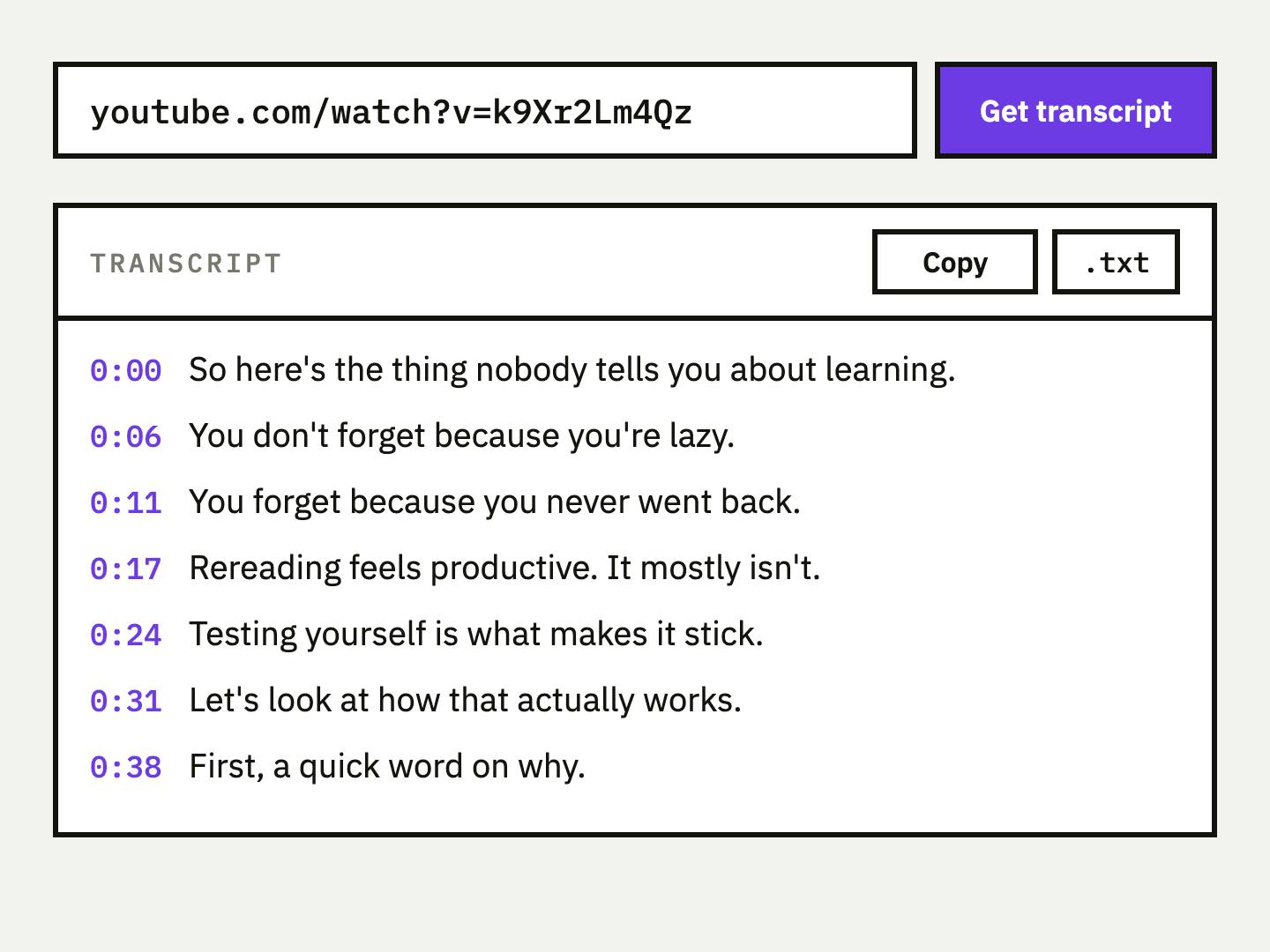
The free YouTube to transcript tool reads the video id out of a Shorts URL, the same way it does for a watch link or a youtu.be link. You do not need to rewrite the URL first.
- 1
Copy the Short's link
From the address bar it looks like
https://www.youtube.com/shorts/VIDEO_ID. In the app, tap Share, then Copy link. - 2
Paste it into the tool
Open the transcript tool, paste the link and click Get transcript. No sign-up is needed.
- 3
Pick a format
Choose paragraphs, plain text, timestamped lines, SRT, VTT or JSON. Switching format afterwards does not fetch anything again.
- 4
Copy or download
Copy the text, or download a subtitle file. The result sits next to an embedded player, and clicking a line jumps to that moment.
Why many Shorts show no transcript
On a normal video, you open the description and press Show transcript. On a Short, the Shorts viewer is built for swiping and that option is not always easy to find. The transcript itself is not the problem. It is a view of the video's captions.
Those captions come from one of two places: the creator uploaded them, or YouTube generated them automatically. YouTube's own help page says automatic captions are not always available, and lists the reasons. If you want the full picture of how the two kinds differ, read auto-captions vs a real transcript.
| Reason YouTube gives | What it means for a Short |
|---|---|
| Captions are still processing | Brand-new Short: wait and try again later. |
| The spoken language is not supported | No automatic track to read, so no transcript. |
| Poor sound quality or speech not recognized | Loud music over the voice can leave no usable speech track. |
| A long silence at the start | A Short that opens on a long quiet stretch may get no automatic captions. |
| Overlapping speakers or several languages at once | Skits and duets may get no automatic captions. |
If a Short has no captions at all, a transcript tool has nothing to read. Music-only Shorts and Shorts with only on-screen text have no spoken words to transcribe in the first place.
Convert the Shorts link to a normal watch link
If you want YouTube's own transcript panel, or a tool that does not understand /shorts/, swap the URL shape. The video id stays the same:
https://www.youtube.com/shorts/VIDEO_ID
        becomes
https://www.youtube.com/watch?v=VIDEO_ID
The watch version opens in the full player, where the description area can offer Show transcript if captions exist. You do not need this for UpSolo, which handles both forms.
Getting a Short's transcript on your phone
The tool is a web page, so it runs in your phone's browser. The only fiddly part is moving the link between apps.
- In the YouTube app, open the Short and tap Share.
- Tap Copy link.
- Open the transcript tool in your browser and paste.
- Copy the text, or download the SRT or VTT file to your phone.
- Paste the text into your notes app or an AI chat for the next step.
If you are not sure what to do with an SRT or VTT file once it is on your phone, this explainer on SRT and VTT covers which editor or platform wants which.
What to do with the script once you have it
A Short's script is short enough to reuse in any shape. Three common uses:
- Turn the script into a caption, a thread or a newsletter blurb.
- Reuse the same hook as a post on another platform.
- Upload a corrected SRT or VTT instead of trusting auto-captions.
- Spot filler words and tighten the next take.
- Read it faster than you can watch it twice.
- Quote a line with an exact timestamp.
- Run it through the summarizer or translator.
- Turn the key claim into a flashcard so it sticks.
For prompts that work on a transcript, see prompts to summarize a YouTube video. For translation, translating a YouTube transcript walks through the steps. If your clip lives on TikTok rather than YouTube, TikTok video to text is the equivalent guide. The same idea applies to X (Twitter) videos and Vimeo videos.
A transcript is the creator's words. Reading, quoting with credit and studying them is one thing. Republishing someone else's script as your own is another, and that call is yours to make.
Keep the useful ones
Short clips are easy to forget. Save the transcript to UpSolo and turn the ideas worth remembering into flashcards you review over time.
Questions people ask
How do I get the transcript of a YouTube Short?
Copy the Short's link, paste it into the free transcript tool and click Get transcript. It accepts /shorts/ links as they are.
Why doesn't my YouTube Short have a transcript?
The Short probably has no captions. YouTube lists reasons such as unsupported language, poor audio, a long silence at the start, or captions still processing.
Can I download a YouTube Short's subtitles as SRT or VTT?
Yes, if the Short has captions. The transcript tool can output SRT and VTT, and SRT vs VTT explains which to pick.
Can I get a Shorts transcript on my phone?
Yes. Use Share, then Copy link in the YouTube app, then paste the link into the tool in your phone's browser.
Is a YouTube Shorts transcript generator free?
UpSolo's transcript tool is free and needs no account. It is rate-limited rather than paywalled: 4 free pulls a day per visitor.
Can I turn a Shorts link into a normal YouTube link?
Yes. Replace youtube.com/shorts/ID with youtube.com/watch?v=ID. It opens the same video in the regular player.
How to Get a YouTube Transcript: Desktop, Phone, Free
Get a YouTube transcript on desktop or phone, copy it or download it as text, SRT or VTT, and what to do when a video has no captions.
Read the articleYouTube Auto-Captions vs. Real Transcripts: What's the Difference?
Auto-generated captions and a proper transcript look similar but aren't the same thing. Here's what actually differs (accuracy, punctuation, formatting) and when each one is good enough.
Read the articleHow to Summarize a YouTube Video (Even a 2-Hour One)
How to summarize a YouTube video fast: check chapters, skim the transcript, use an AI summarizer, and judge whether the summary can be trusted.
Read the articleHow to Get a TikTok Video's Transcript (or Script) as Text
Three ways to turn a TikTok into text: read its captions, paste the link into a free converter, or transcribe the audio, plus what each one can and can't do.
Read the articleKeep reading
How to Turn an X (Twitter) Video Into Text
Paste an X post link, get the video's captions as text, timestamped lines or an SRT/VTT file, and learn why some posts come back empty.
Read the articleHow to Get a YouTube Transcript: Desktop, Phone, Free
Get a YouTube transcript on desktop or phone, copy it or download it as text, SRT or VTT, and what to do when a video has no captions.
Read the articleHow to Get a TikTok Video's Transcript (or Script) as Text
Three ways to turn a TikTok into text: read its captions, paste the link into a free converter, or transcribe the audio, plus what each one can and can't do.
Read the articleNext video you watch, keep something from it
Free credits every day, no card required.