
How to Turn an X (Twitter) Video Into Text
Paste an X post link, get the video's captions as text, timestamped lines or an SRT/VTT file, and learn why some posts come back empty.
Someone posts a 20-minute talk, a product demo or a thread-length rant as a video on X, and you want the words, not the watching. X has no "copy transcript" button, so the text has to come from somewhere else. The quickest route is to paste the post's link into a tool that reads the video's caption track.
This guide shows the link forms that work, how to get the text in three steps, what to do when a post comes back empty, and how to turn the transcript into something you can study from.
Which X links does the tool accept?
Any link to a post that contains a video. Old twitter.com links still work, and so do mobile links and the tracking bit on the end (?s=20). What does not work is a link to a profile, a search or a t.co short link.
https://x.com/handle/status/1234567890123456789
https://twitter.com/handle/status/1234567890123456789
https://mobile.twitter.com/handle/status/1234567890123456789
https://x.com/i/status/1234567890123456789
https://x.com/handle/status/1234567890123456789?s=20
The long number is the post id, and it is all that matters. The handle in the link can be anything, so a link copied before someone renamed their account still resolves.
How to get the text from an X video
- 1
Copy the post link
On desktop, copy the address from the post's page. In the app, tap the share icon and choose Copy link. Make sure it is the post with the video, not the account.
- 2
Paste it into the tool
Open the X to transcript tool and paste the link into the post URL field. If you know the captions are in a specific language, type its code (for example
enores) into the Caption language field. Leave it blank to take whichever track the video has. - 3
Pick a format and copy or download
Choose paragraphs for reading, timestamped lines for finding a moment, or SRT/VTT if you need a subtitle file. Copy the text or download the file.
Which output format should you pick?
| Format | Best for |
|---|---|
| Paragraphs | Reading the video like an article. |
| Plain text | Pasting into a doc or an AI chat without timestamps. |
| Timestamped lines | Finding the moment a point was made, or quoting it. |
| SRT | Subtitle files for most video editors and players. |
| VTT | Web players and HTML video. See SRT vs VTT for the differences. |
| JSON | Feeding the lines into your own script. |
Why did my post come back empty?
The tool pulls the caption track that is already attached to the video, so an empty result almost always has one of three causes. Knowing which one saves you from retrying the same link.
- •The video has no captions. This is the common one. RNID reports that most videos on X do not have closed captions. Captions are often burned into the picture instead, and burned-in text is pixels, not a track, so no tool can extract it as a caption file.
- •The post has no video. The video may be attached to a different post in the thread than the one you copied. Open the thread and copy the link of the post that actually holds the clip.
- •The account is protected. Posts from private accounts cannot be read by any tool.
Play the video and look for a CC icon. On desktop it sits next to the volume control. If it is there, the video has a caption track and the tool has something to read. If you are the one posting, RNID notes you can upload an .srt caption file through the web interface when creating a post, which makes your own videos easy to transcribe later.
Doing it from a phone
Mobile works the same way. Tap Share on the post, choose Copy link, switch to your browser and paste. The share-sheet link often carries ?s= tracking at the end, which the tool ignores.
- Talks, interviews and demos that already show a CC icon
- Pulling an exact quote with its timestamp
- Getting a subtitle file for a clip you are allowed to reuse
- Silent clips with text baked into the picture
- Posts from protected accounts
- Short t.co links (resolve them first)
Turn the transcript into something you can study
A wall of transcript text is easy to save and easy to forget. If the video is something you actually want to learn from, the transcript is the starting point rather than the finish. Read it once, then do something with it: take notes from it, or test yourself so the content sticks, as covered in active recall vs rewatching.
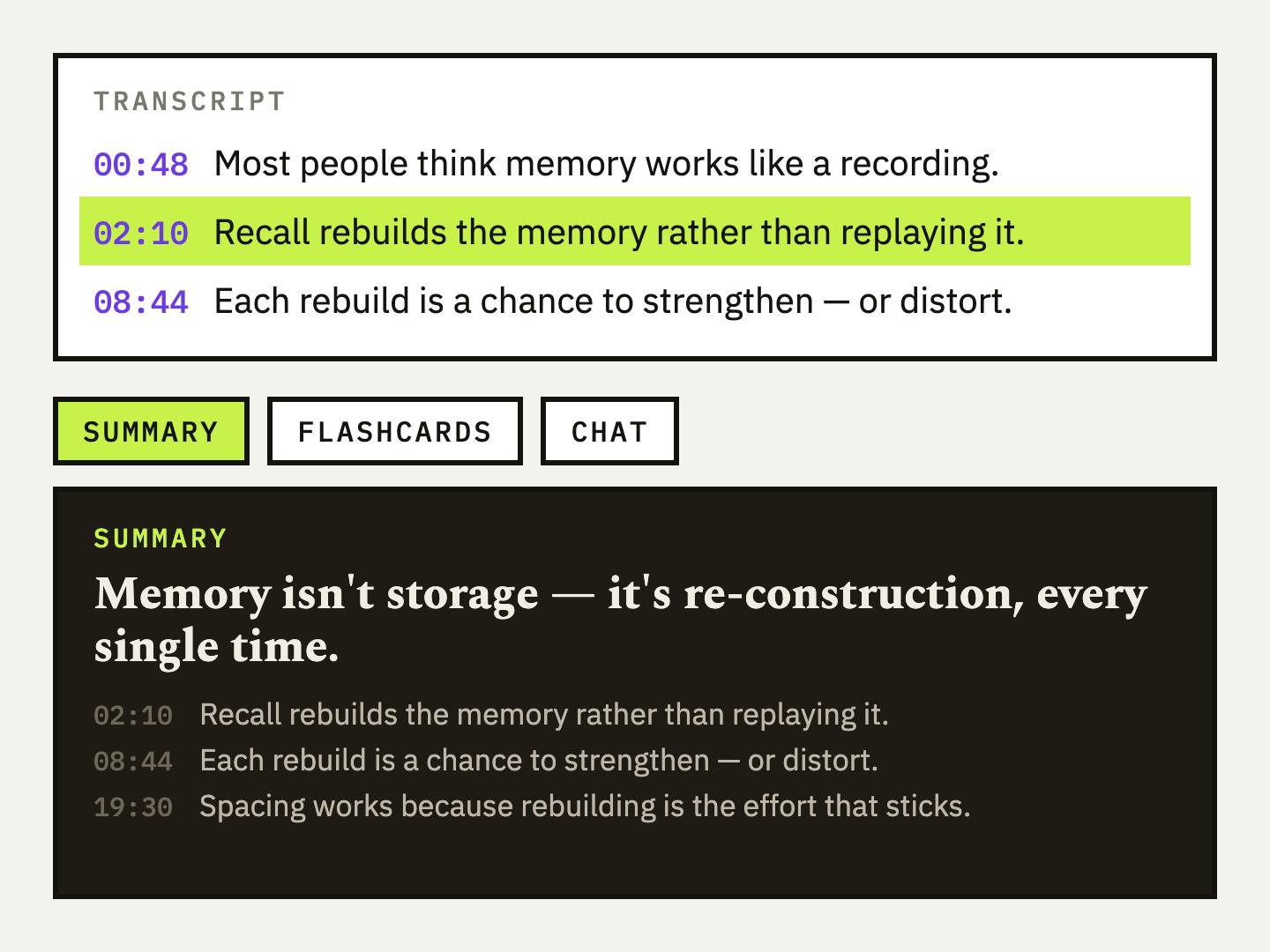
UpSolo's workspace takes video links from several platforms, X included, and layers study tools on the transcript: a summary, flashcards, quizzes, mind maps, a study report and a tutor chat you can ask about the video. The YouTube flashcard maker and quiz maker are free to try on YouTube links, and the guide to making a quiz from a video walks through the method.
Study from the video, not just the text
Sign in to get a summary, flashcards and a tutor chat on top of the transcript. You get a free daily allowance of credits.
Using the transcript responsibly
The words belong to the video's creator, and a transcript does not give you extra rights over them. Quote with credit, check a summary against the video, and ask before republishing someone's full text. If you cite what you found, the citation guide covers the pattern for video sources, and the same logic applies to a post on X.
Frequently asked questions
How do I get a transcript of an X (Twitter) video?
Copy the link to the post that has the video, paste it into the X to transcript tool and choose a format. If the video has captions, you get the full text in a few seconds.
Can I convert an X video to text for free?
Yes. The tool is free and needs no account, with a limit of four transcripts a day per visitor. The count resets at midnight UTC.
Does X have a built-in transcript feature?
Not one that shows a full transcript you can copy. Some videos have a caption track you can toggle with the CC icon, but you cannot export it from the player, which is why a separate tool is needed.
Do twitter.com links still work?
Yes. Links on x.com, twitter.com and their mobile versions all work, including /i/status/ links. Short t.co links do not, so open one and copy the post link it leads to.
Can I download an X video's captions as an SRT or VTT file?
Yes. Choose SRT or VTT as the format before you run the tool, then use the download button on the result. The file works in most editors and players.
Why is my transcript empty?
The video most likely has no captions, the post has no video, or the account is protected. Check for a CC icon on the video to see whether a caption track exists.
How to Get a TikTok Video's Transcript (or Script) as Text
Three ways to turn a TikTok into text: read its captions, paste the link into a free converter, or transcribe the audio, plus what each one can and can't do.
Read the articleHow to Get the Transcript of a YouTube Short
Paste a Shorts link, get the text and an SRT or VTT file. Why some Shorts have no transcript, how to do it from your phone, and how to reuse the script.
Read the articleWhat Is a .VTT File? SRT vs VTT Subtitles Explained (With Examples)
A .vtt file is a WebVTT caption file and .srt is its older, simpler cousin. See real examples, the exact differences, how to open and convert both, and which one to use.
Read the articleHow to Get a Vimeo Video's Transcript (Text, SRT or VTT)
Three ways to get a Vimeo transcript as text, SRT or VTT: Vimeo's own download for your videos, a free tool for any public one, and what to do with no captions.
Read the articleKeep reading
How to Get a YouTube Transcript: Desktop, Phone, Free
Get a YouTube transcript on desktop or phone, copy it or download it as text, SRT or VTT, and what to do when a video has no captions.
Read the articleHow to Get a TikTok Video's Transcript (or Script) as Text
Three ways to turn a TikTok into text: read its captions, paste the link into a free converter, or transcribe the audio, plus what each one can and can't do.
Read the articleYouTube Auto-Captions vs. Real Transcripts: What's the Difference?
Auto-generated captions and a proper transcript look similar but aren't the same thing. Here's what actually differs (accuracy, punctuation, formatting) and when each one is good enough.
Read the articleNext video you watch, keep something from it
Free credits every day, no card required.