
The transcript, right beside the video
UpSolo puts the full transcript next to the YouTube player, synced as it plays, so you can follow it, search it and study from it without leaving the page.
FREE · NO ACCOUNT NEEDED TO READ
Read along with what you watch
Install it and open any video with captions. The panel sits in YouTube's right column, above the recommendations.
Follows the video
The line being spoken is highlighted as it plays. Click any timestamp to jump there.
Three ways to read
Lines, Paragraphs or Plain text, split by the video's chapters.
Search
Find a word and jump straight to the moment it's said.
About 150 languages
Switch caption tracks, or auto-translate and read the original under each line.
Copy or download
Take the text as .txt, .md, .srt, .vtt or .json.
Where you are
The chapter you're in shows at the bottom of the panel.
Study tools, in the same panel
Connect your account from the panel and the study tools join the transcript. Everything you save goes to your library, where the full workspace adds notes, highlights, quizzes, mind maps and more.
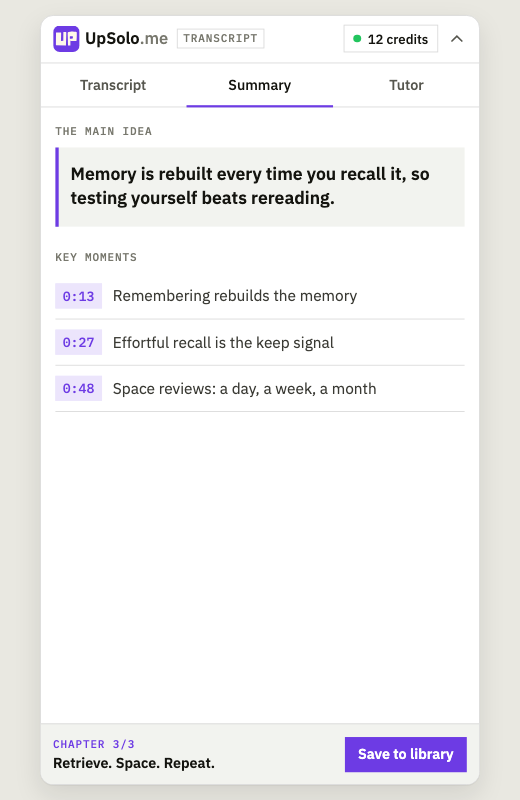
A summary with key moments
The main idea, a short recap, then the moments that matter, each linked to its timestamp.
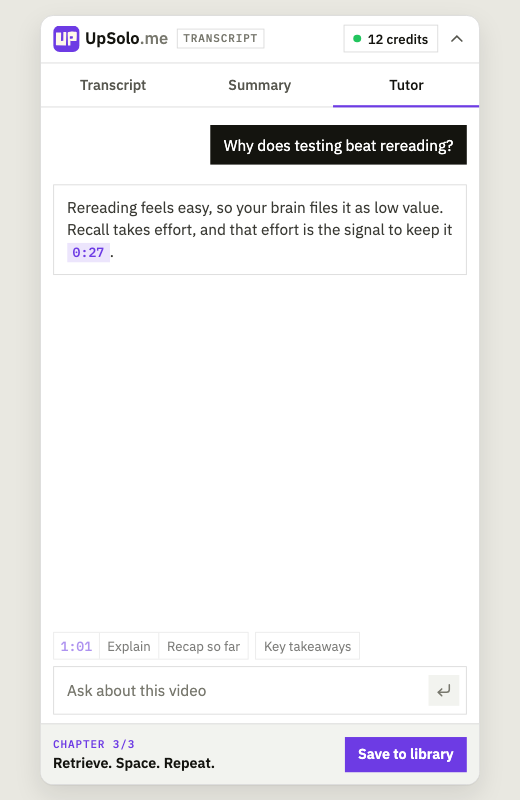
Ask the tutor
It knows the whole video. Answers point to the moments they come from, and a click takes you there.
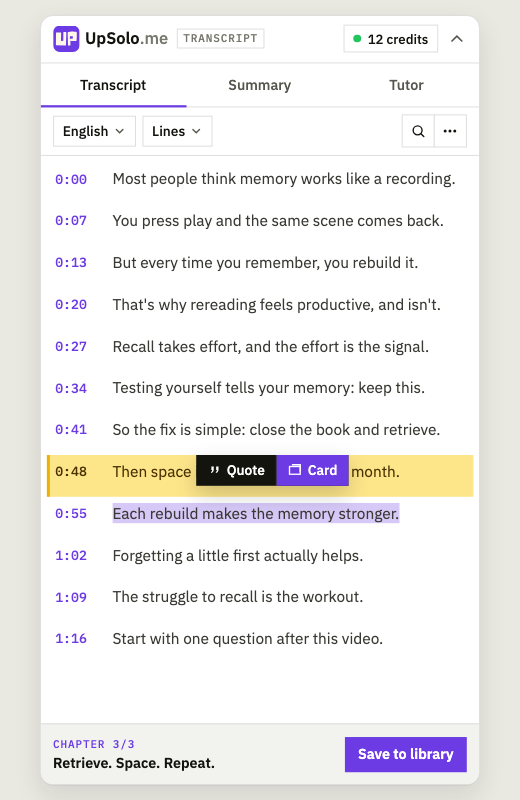
Any line as a quote or a card
Select the text and pick one. It lands in your UpSolo library, ready for spaced review.
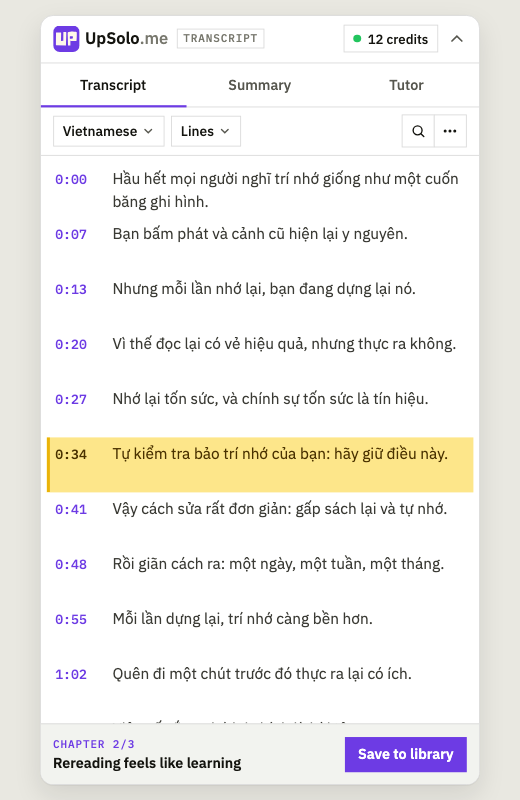
Read it in your language
Auto-translate the transcript line by line, synced to the video like the original.
The summary and tutor use credits: free ones every day, no card required, a few of them usable right in the extension.
OPEN YOUR LIBRARYIt only runs on youtube.com
- Without an account, nothing is sent to UpSolo: captions come straight from YouTube to your browser.
- Once you connect, it tells UpSolo which video you open, and saving one sends its captions to keep in your library.
- No ads, no analytics, no tracking.



Fair questions
Is it free?
Yes. Reading, searching, translating and downloading transcripts are free and need no account. The summary and tutor use credits from your UpSolo account; you get free ones every day, no card required, and a few of them can be spent in the extension (the rest work on upsolo.me, and purchased credits work in both). Saving a line as a quote or a flashcard costs nothing.
Which videos does it work on?
YouTube videos with captions, auto-generated ones included. On a video with no captions at all, you can turn on live captions (Chrome transcribes the audio as it plays, free, nothing is sent to UpSolo) or, with an account, generate a transcript for credits.
What does it send to UpSolo?
Without an account, nothing: the captions go straight from YouTube to your browser. Once you connect, it tells UpSolo which video you open (to check your library), and saving a video sends its captions to keep in your library. No ads, no analytics, no tracking.
What about Edge, Firefox and Opera?
The Edge version is in review with Microsoft. Firefox and Opera come later.
Next video you watch, read along
 Add to Chrome