
10 Prompts to Summarize a YouTube Video With ChatGPT or Claude
Ten copy-paste prompts for summarizing a YouTube video from its transcript, plus how to handle long videos and check the summary against what was said.
A chatbot summarizes a video well when you give it the right text and a specific job. "Summarize this" gets you a vague paragraph. A prompt that names the format, the length and the rules (use timestamps, quote verbatim, say when something is missing) gets you something you can actually use. Below are ten prompts you can paste as they are.
Step 1: get the transcript, not the link
Pasting a YouTube URL into a chatbot often fails or produces a summary built from the title and a guess. One guide to summarizing YouTube videos with ChatGPT states that ChatGPT works only with transcript text you provide yourself, and that this captures spoken words only, not slides or on-screen demos. Some assistants or APIs may accept video input, so check yours, but the transcript route works everywhere and lets you control exactly what the model reads.
The quickest way to get it is the free YouTube transcript tool: paste the link, get the timestamped text, copy it. If you want to know why some videos have rough transcripts, see auto captions vs a real transcript.
Free tool · YouTubeYouTube to TranscriptCopy the transcript with timestamps, then paste it under any prompt below.How to set up any prompt
- 1
Paste the prompt first
Put your instructions at the top, then the word TRANSCRIPT: on its own line, then the pasted text.
- 2
Keep the timestamps in
Lines like [12:40] let the model point back to where it found each idea. Stripping them removes your best verification tool.
- 3
Name the audience and length
"For a first-year student, under 150 words" changes the output more than any clever phrasing.
- 4
Forbid guessing
Add "If the transcript doesn't say, write 'not stated'." It cuts down on plausible filler.
The 10 prompts
1. TL;DR
Summarize the transcript below.
Give me:
- One sentence: the video's central claim.
- Three bullets: the points that support it.
- One line: who this video is for.
Use only what is in the transcript. If something is unclear, write "not stated".

TRANSCRIPT:
[paste here]
2. Chapter by chapter, with timestamps
Split the transcript below into 5 to 10 sections where the topic changes.
For each section give: the start timestamp, a short title, and a 1-2 sentence summary.
Use the timestamps that appear in the transcript. Do not invent any.

TRANSCRIPT:
[paste here]
This one doubles as a chapter list. If you want to add chapters to your own upload, see how YouTube video chapters work.
3. Study notes
Turn the transcript below into study notes for a student.
Format: a title, then headings for each major idea. Under each heading: a plain definition, the speaker's explanation in your own words, and one example from the video.
End with a list of terms I should be able to define.
Add the timestamp where each idea starts.

TRANSCRIPT:
[paste here]
4. Key quotes, verbatim
Pull the 6 most quotable lines from the transcript below.
Rules:
- Copy each quote word for word. Do not paraphrase or fix grammar.
- Put the timestamp after each quote.
- If you can't find enough strong lines, give fewer.

TRANSCRIPT:
[paste here]
Models still occasionally tidy a quote without telling you, so search the transcript for the exact phrase before you publish it. If you cite the video, the citation guide covers the formats.
5. Counterarguments and weak spots
List the speaker's main claims from the transcript below.
For each claim, say what evidence the speaker gave (or "none given") and what a skeptic could reasonably ask.
Do not add facts from outside the video. Mark any question that needs outside research as "needs a source".

TRANSCRIPT:
[paste here]
6. Action items
From the transcript below, list every concrete action the speaker recommends.
Order them by when I should do them. Add the timestamp for each.
Skip general advice with no clear step.

TRANSCRIPT:
[paste here]
7. Explain it like I'm five
Explain the main idea of the transcript below to a curious 10-year-old.
Use one everyday analogy, short sentences and no jargon.
Then list the 3 hard words from the video and what they mean.

TRANSCRIPT:
[paste here]
8. Quiz me
Write 8 questions from the transcript below: 5 multiple choice (4 options, mark the answer) and 3 short-answer.
Only ask about things the video actually states.
After each answer, give the timestamp where it is covered.
Ask me one question at a time and wait for my reply before showing the next.

TRANSCRIPT:
[paste here]
Testing yourself beats rereading a summary, which is the case made in active recall vs rewatching. For a ready-made version, see how to make a quiz from a video.
9. Flashcards
Make 12 flashcards from the transcript below.
Format each as: Q: ... / A: ... / Time: [m:ss].
One fact per card. Questions must make sense with no context, so never write "the speaker" or "in the video".

TRANSCRIPT:
[paste here]
10. Compare two videos
Below are transcripts of two videos on the same topic, labelled A and B.
Make a table with rows: main claim, key evidence, what each covers that the other doesn't, and where they disagree.
Then tell me which to watch first and why, in two sentences.

TRANSCRIPT A:
[paste here]

TRANSCRIPT B:
[paste here]Save your favourite two or three prompts in a note and reuse them. Changing only the transcript keeps your results comparable from video to video.
Long videos and context limits
Every model can read only so much text at once, and the limit varies by product and plan. A multi-hour lecture may not fit. The common workaround, described in guides like the one above, is to split the transcript at natural topic changes, summarize each part, then summarize the summaries (the Fritz guide suggests sections of roughly 2,000 to 3,000 words).
This is part 3 of 6 of a video transcript. Summarize it in 5 bullets with timestamps. Do not conclude or wrap up, more parts follow.

TRANSCRIPT PART:
[paste here]Below are my summaries of each part of one video, in order.
Merge them into one summary: a thesis sentence, the 6 most important ideas with timestamps, and anything the parts contradict.
PART SUMMARIES:
[paste all here]If a video has chapters, split on those instead of by length. For more on this approach, see how to summarize a long YouTube video.
How to check the summary
A summary is a claim about the video, so treat it like one. Checking takes a couple of minutes if you kept the timestamps.
- Search the transcript for every direct quote. If the exact words aren't there, drop the quote.
- Check every number, date and name against the transcript, not your memory.
- Open two or three timestamps the model cited and confirm the idea is actually said there.
- Look for anything the model asserts that the speaker never mentions. That is outside knowledge or a guess.
- Remember the transcript has no visuals. Slides, charts and demos need a look at the video itself.
- For auto-generated captions, expect misheard names and jargon, and fix those first.
Prompts or a ready-made summarizer?
- Any format you can describe
- Works with the chatbot you already use
- You copy and paste the transcript yourself
- Quality depends on your wording
- No prompt to write
- Paste a link, get a result
- Fixed format: thesis, paragraph, key ideas
- Less control over style and length
If you just want the gist, the free YouTube video summarizer skips the prompting: it reads the video's captions and returns a one-line thesis, a short paragraph and 5 to 6 timestamped key ideas. Use prompts when you need a specific shape, like study notes or a critique. For a side-by-side of the options, see the best YouTube video summarizers.
Go from summary to studying
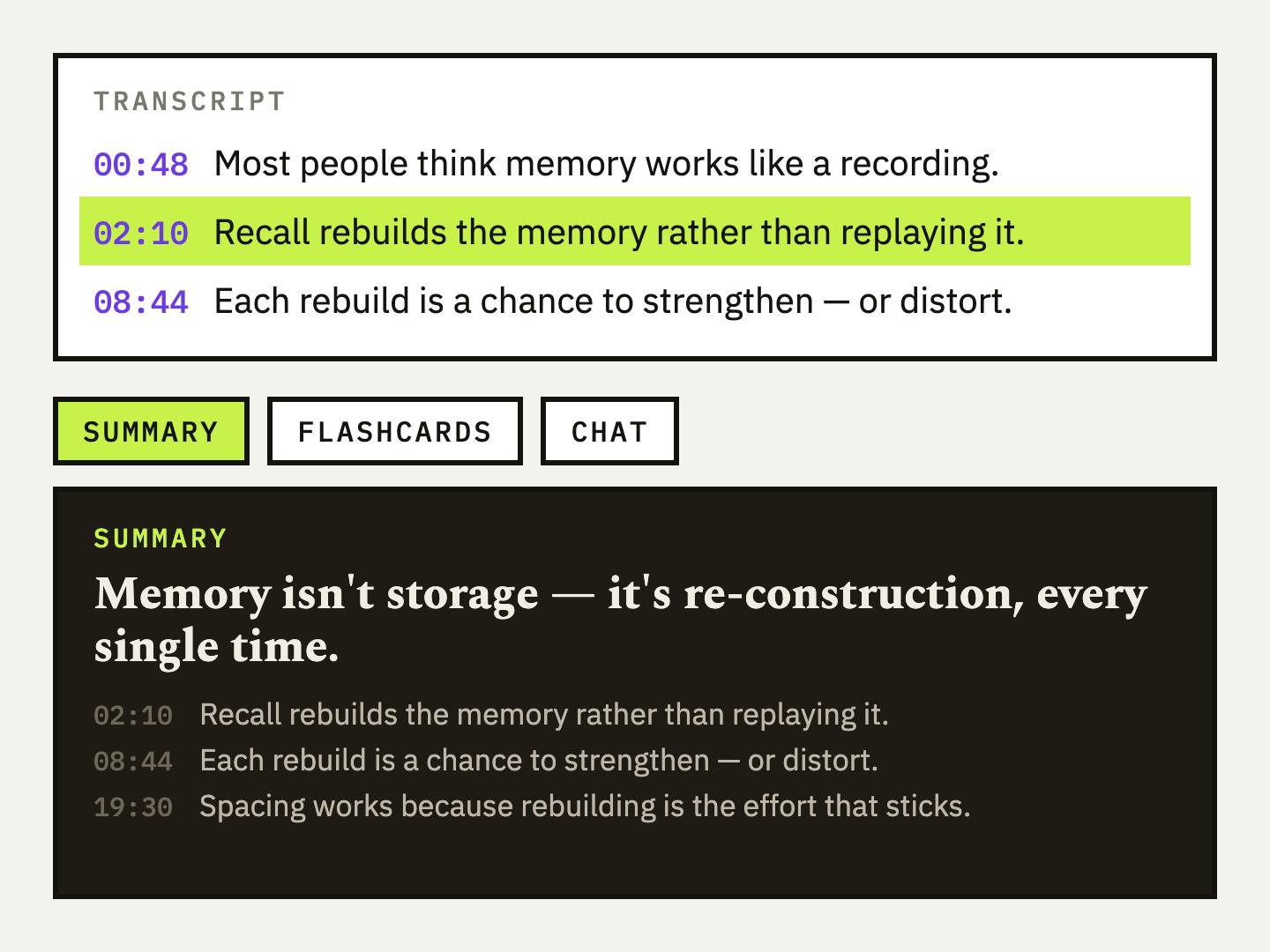
UpSolo starts from the same transcript and adds a summary, a tutor that answers from the video's transcript, flashcards and a mind map, saved in one library.
FAQ
Can ChatGPT summarize a YouTube video from a link?
Often not reliably. Guides on the topic say it can't watch the video, so it needs the transcript pasted in. Some assistants may handle video input, so test yours on a video you know.
What is the best prompt to summarize a YouTube video?
One that names the format, the length and the audience, tells the model to use only the transcript, and asks for timestamps. Prompt 1 above is a good default.
How do I summarize a long YouTube video that won't fit in the chat?
Split the transcript at topic changes or chapters, summarize each part, then paste those summaries into a final merge prompt.
Can Claude summarize a YouTube video?
Claude works the same way for this task: paste the transcript under your prompt. Every prompt in this post works in Claude as well as ChatGPT.
How do I stop the AI from making things up?
Tell it to use only the transcript, write "not stated" for gaps, and cite timestamps. Then check quotes and numbers yourself.
Is there a free way to summarize a YouTube video without prompts?
Yes. The free UpSolo summarizer takes a link and returns a thesis, a paragraph and timestamped key ideas, with a daily limit for anonymous visitors.
How to Summarize a YouTube Video (Even a 2-Hour One)
How to summarize a YouTube video fast: check chapters, skim the transcript, use an AI summarizer, and judge whether the summary can be trusted.
Read the articleHow to Get a YouTube Transcript: Desktop, Phone, Free
Get a YouTube transcript on desktop or phone, copy it or download it as text, SRT or VTT, and what to do when a video has no captions.
Read the articleHow to Turn a YouTube Video Into Flashcards for Studying
A step-by-step method for turning a YouTube video's content into flashcards that actually test recall, plus what makes a card good versus a card you'll skip.
Read the articleFlashcards vs. Quizzes: Which Should You Use to Study a Video?
Both are forms of self-testing, but they're not interchangeable. Here's what each is actually better at, and how to use them together instead of picking one.
Read the articleKeep reading
Best YouTube Chapter Generators in 2026: the buyer's shortlist
Seven YouTube chapter generators compared on price, free limits, input type and output formats, with what each one does well and where it falls short.
Read the articleBest YouTube Video Summarizers in 2026: the buyer's shortlist
Five YouTube video summarizers compared on price, free limits, timestamps and where they run, with the store ratings we could verify as of October 2026.
Read the articleBest YouTube Transcript Generators in 2026: the buyer's shortlist
Six YouTube transcript generators compared on price, free limits, export formats, languages and timestamps, with UpSolo's free tool first and honest strengths for every rival.
Read the articleNext video you watch, keep something from it
Free credits every day, no card required.