
Best YouTube Video Summarizers in 2026: the buyer's shortlist
Five YouTube video summarizers compared on price, free limits, timestamps and where they run, with the store ratings we could verify as of October 2026.
Get the transcript, summary, flashcards and quiz from any video
The best YouTube video summarizer for most learners is UpSolo: paste a link and get a one-line thesis, a short paragraph and 5-6 timestamped key ideas, with no account. We also compared four rivals that earn a place on a shortlist: NoteGPT, Eightify, HARPA AI and Glasp. Each has a real strength, and each fits a different habit, so this page ranks them by what you actually need from a YouTube summarizer.
UpSolo is our product, so it is listed first. To keep this fair, every competitor number comes from the vendor's own pricing page or a public store listing that we opened, every source is linked at the bottom, and each rival's strengths are stated plainly. Anything we could not verify is left out.
Want to test the idea before reading on? The free YouTube video summarizer needs no sign-up, so you can judge the output on a video you know.
See a summary built from the video's own captions
Paste a YouTube link and read a thesis, a paragraph and timestamped key ideas you can click to check.
Try the free summarizer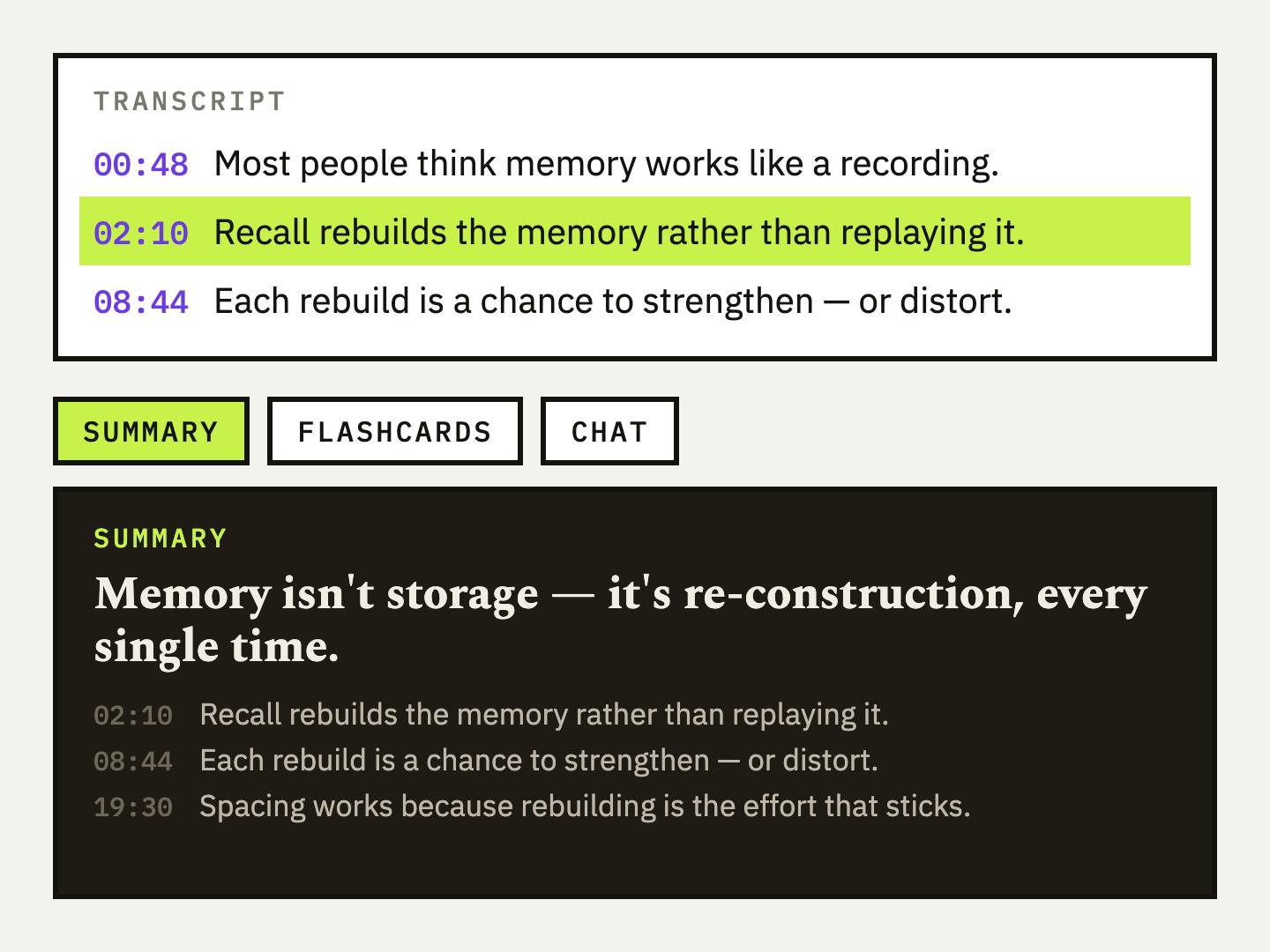
Key Takeaways
- •UpSolo is our #1 pick for learners. The free tool needs no account, gives every visitor 4 free credits a day (2 to 4 summaries), and every key idea carries a timestamp you can click to verify it.
- •Paid summarizers charge for convenience. Eightify lists $9.99 a month or $59.99 a year in the App Store, NoteGPT Pro is $9.99 a month, and HARPA AI starts at $12 a month billed annually.
- •Glasp is the strongest free option if you already keep notes. Its summaries and transcripts are free with no credit card, and highlights export to Notion and Obsidian.
- •Public ratings vary a lot. On the Chrome Web Store, NoteGPT shows 5.0 from 8.7K ratings, Glasp 4.2 from about 4.1K and Eightify 4.0 from 861. We quote store figures rather than vendor claims, because the stores are the same for everyone.
- •No AI summary replaces the video for exact quotes. Pick a tool that links each point back to a timestamp, then check the moment before you rely on it.
What a YouTube video summarizer actually is (and what it is not)
A YouTube video summarizer reads a video's words and hands back a shorter version: a few sentences, a list of key points, sometimes chapters. Almost every tool on this list works from the transcript, usually the captions YouTube already has (auto-generated ones count), and sends that text to a language model. The better ones tie each point to the timestamp it came from, so you can click through and hear the moment yourself. That grounding is what separates a summary you can check from one you have to trust.
They come in three shapes. A web page where you paste a link, like UpSolo's free YouTube video summarizer. A browser extension that adds a panel beside the player on youtube.com. And a general AI assistant that happens to have a summarize command. Some go further and turn the same transcript into flashcards, quizzes or notes, which matters if you want to remember the video and not just skim it. How to summarize a long YouTube video covers that full workflow.
What a summarizer is not: a replacement for the video when exact wording matters. It is AI-generated, so treat it as a close read rather than a word-for-word account. Most need captions to exist, so a video with none gives them nothing to read, and none of them summarize from the picture: a silent screen recording has nothing to work with. Free tiers are capped too. UpSolo's free tool, for example, gives each visitor 4 credits a day, and a summary costs 2 (1 if the transcript was already fetched).
How We Ranked These YouTube Video Summarizers
We scored each tool on criteria you can check without trusting us. Where a vendor did not publish a number, the table says so instead of guessing.
| Criterion | What we checked | Why it matters |
|---|---|---|
| Free access | Whether you can summarize without paying, and the stated limit | Most people only need a handful of summaries a month |
| Cheapest paid plan | The lowest monthly price on the vendor's own page or app store | Shows what heavy use costs |
| Account required | Whether a link works without signing up | Sign-up friction decides whether you finish the task |
| Timestamps back to the video | Whether points link to the moment they come from | Lets you verify the summary instead of trusting it |
| Where it runs | Web page, browser extension, mobile app | Decides how often you will actually use it |
| Public rating | Chrome Web Store or App Store score and number of ratings | A rough signal of reliability, quoted as of October 2026 |
The Best YouTube Video Summarizers in 2026
The five tools below cover three different habits: pasting a link on a web page, summarizing inside YouTube through an extension, and running a general browser AI agent. We ranked UpSolo first for learners who want to check a summary and then study from it, and ordered the rest by how widely they fit. Prices are as of October 2026 and can change.
1. UpSolo, best for learners who want to check a summary and then study from it
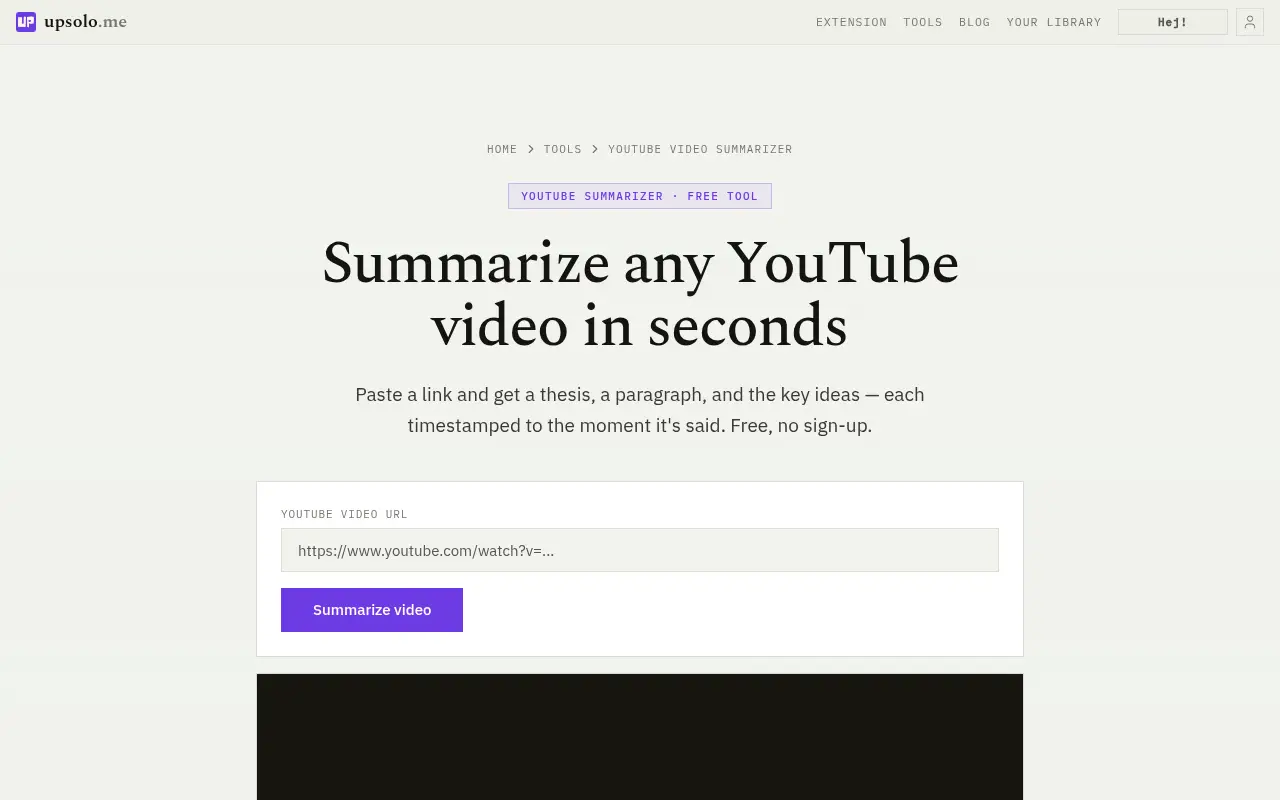
The free YouTube video summarizer is a single page. You paste a link and get a one-line thesis, a short paragraph and 5-6 key ideas, each anchored to a real timestamp. The page promises no sign-up, no watermark and no paywall, and it gives each visitor 4 free credits a day, resetting at midnight UTC. A summary costs 2 credits, or 1 when the transcript was already fetched, so that is 2 to 4 summaries a day. Signing in gives a separate daily allowance that covers every tool, currently 10 credits a day on the free tier.
Inside the app, one AI action (a summary, a flashcard set, a quiz, a mind map or a report) costs 1 credit. The tutor chat charges 1 credit on the first question and then once every 3 questions. Credit packs and a Pro plan are available for heavier use; see the account page for current prices. The browser extension adds a transcript panel and summary beside the video on YouTube; free accounts can spend up to 3 credits a day there.
The honest weakness is scale. UpSolo is a new site with no store reviews to point to, and it does not batch a whole playlist into one summary. Its strength is that the summary is the start of a study session, not the end of one.
Best suited for: students and self-learners who want a summary they can verify by clicking a timestamp, then turn into flashcards or a quiz. It is a weaker fit if you only want a throwaway summary of dozens of videos at once.
2. NoteGPT, best for batch and playlist summaries with study extras
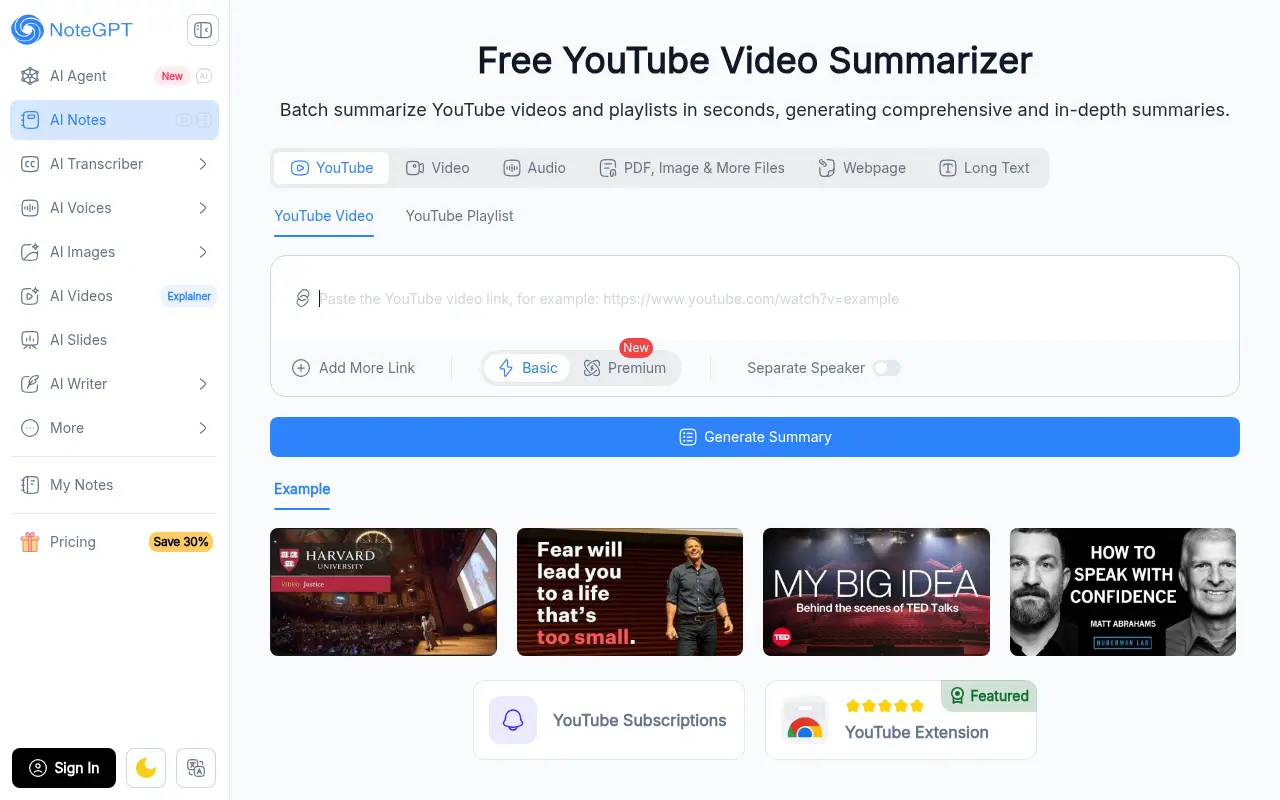
NoteGPT's YouTube summarizer page is labelled free and no-login, with a Basic and a Premium mode, and it can summarize single videos and playlists. It says you can batch up to 20 videos, adjust the summary length, write custom prompts and toggle a speaker-separation option. Its Chrome extension is the most-reviewed in this list: 5.0 out of 5 from 8.7K ratings and 400,000 users on the Chrome Web Store at the time of writing.
The pricing page lists Pro at $9.99 a month ($9 a month billed annually, $108 a year) with 100 premium credits and 1,000 basic quotas each month. Unlimited is $29 a month ($19.92 a month billed annually) and Max is $99 a month ($69 a month billed annually). A free plan exists, but the page does not list its limits, so we cannot tell you the daily cap.
A fair caution: the summarizer page gives conflicting figures for supported languages and maximum video length, so we left both out rather than pick one. Its extras go beyond summaries into mind maps, quizzes and flashcards, which overlaps with what UpSolo does, though NoteGPT is aimed more at bulk output.
Best suited for: people summarizing many videos or whole playlists who are happy to pay for volume. If you want a plain answer on one video without reading a pricing table, a simpler tool will feel lighter.
3. Eightify, best for a polished summary panel inside YouTube
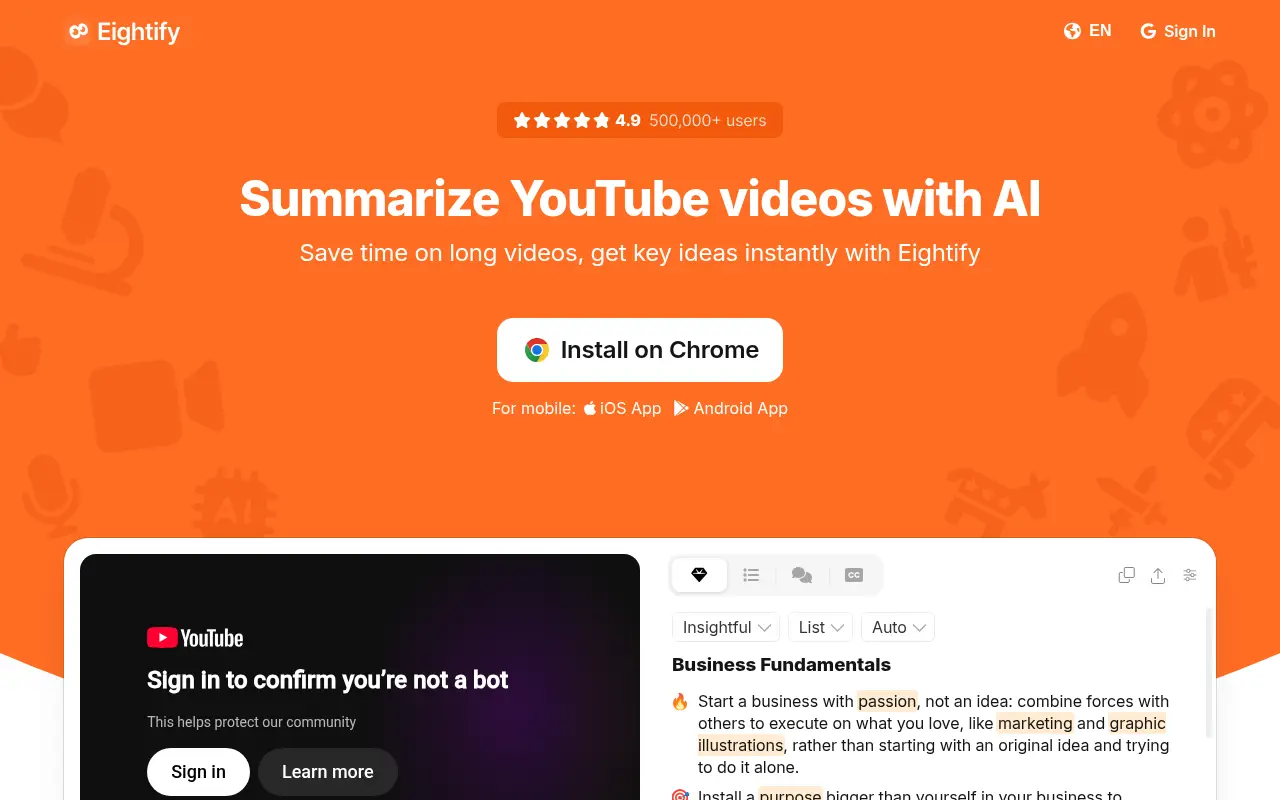
Eightify is built around one idea: a summary panel next to the YouTube player, with timestamped key ideas, as a Chrome extension and an iOS app. Its Chrome Web Store listing shows 4.0 out of 5 from 861 ratings and 200,000 users, with a 7-day free trial you can cancel any time. The listing mentions summaries and translations in 40+ languages.
On pricing, the App Store listing shows Eightify Pro Annual at $59.99 and Pro Monthly at $9.99, with a 4.3 rating from 146 ratings for the iOS app. We could not load Eightify's own site or pricing page (it blocked our requests), which is why the prices cite the App Store and the ratings cite the store listings.
It is a paid product after the trial, and it focuses on summarizing rather than studying afterwards, so there is no flashcard or quiz layer to pair it with. If you mostly watch on an iPhone and want summaries there too, the iOS app is a real advantage.
Best suited for: people who watch a lot of YouTube, want summaries in the player itself, and do not mind a subscription once the trial ends. It is less suited to anyone who wants to stay free.
4. HARPA AI, best for one browser AI agent that also summarizes videos
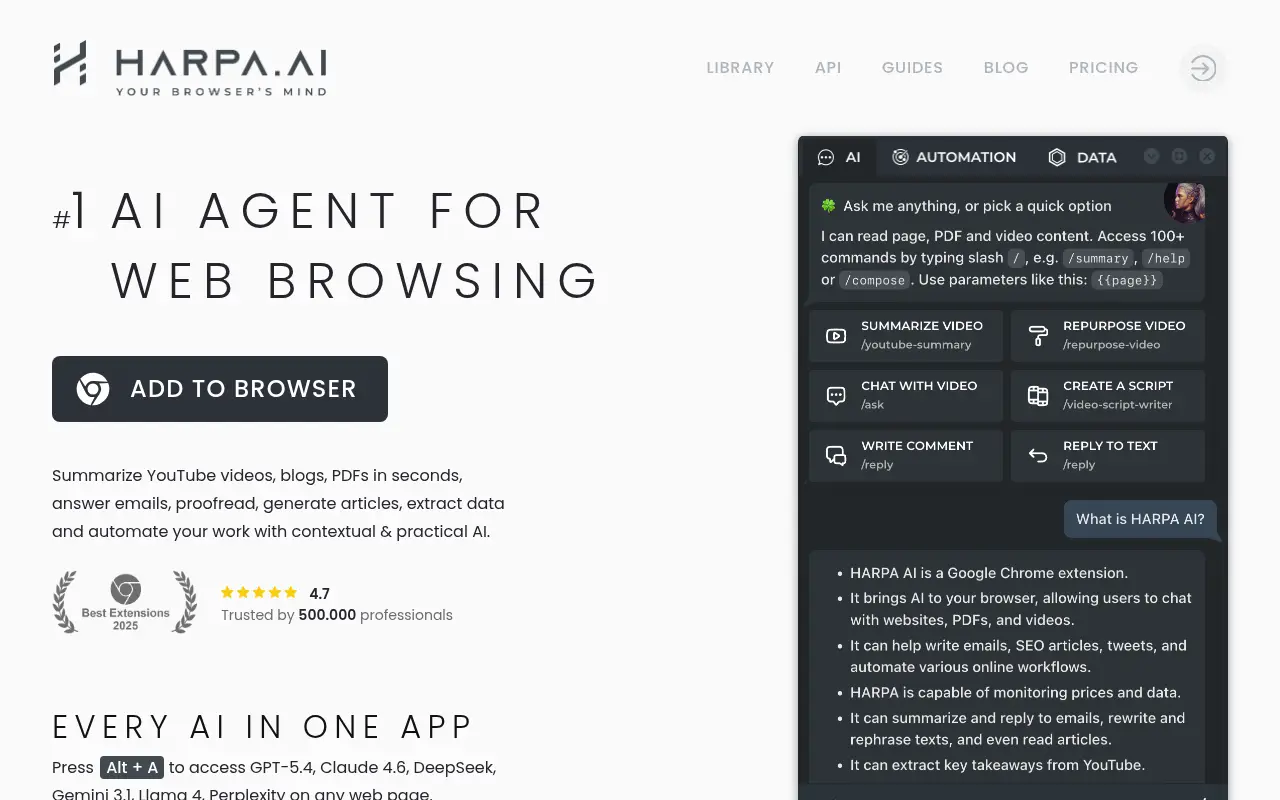
HARPA AI is a general browser assistant, so YouTube summarizing is one command among many. Its homepage lists a Summarize video command, chat with a video and jumping to timestamps, and it lists GPT, Claude, Gemini and other models. The Chrome Web Store listing shows 4.5 out of 5 from 3.2K ratings and 400,000 users.
The pricing page describes a free demo plan limited to 10 messages a day on web sessions with ChatGPT, Claude and Gemini, plus up to 100 total AI command runs. Paid plans are $12 a month billed annually for Everyone (75 megatokens a year), $19 a month billed annually for Pros (225 a year), and a $240 one-time Life plan. The YouTube Summarizer is listed on all three paid plans.
The trade-off is focus. HARPA can do a lot beyond video, which is useful if you want automation in the same tool, but it is more to learn than a single-purpose summarizer, and it has no study layer for retaining what you read.
Best suited for: people who want one AI assistant across the web, with video summaries as a bonus. Someone who only needs a quick summary of one video may find it more than they need.
5. Glasp, best for free summaries that flow into your notes
Glasp's YouTube Summary page says summaries and transcripts are free with no credit card, and that you can paste a YouTube link on the page without signing up or installing anything. The extension shows the transcript beside the video with clickable timestamps, a copy button, an adjustable summary length, a custom prompt and a choice of transcript language. It lists ChatGPT, Claude, Mistral AI and Gemini as the models behind it.
Its Chrome Web Store listing shows 4.2 out of 5 from about 4.1K ratings and 2,000,000 users, the largest base here. Chat needs a free Glasp account with 20 chat credits a month on the Free plan, and paid plans add more credits plus the Balanced and Deep models. The page does not list those prices, so we do not either.
Where Glasp stands out is export. Highlights and notes can go to Notion, Obsidian, Roam Research and mem.ai, and transcripts download as Markdown, HTML, CSV or JSON. It also runs on Chrome, Edge and Firefox plus iOS and Android. We could not capture a clean screenshot of its page, so there is no image here, and its focus is capture and notes rather than spaced repetition.
Best suited for: note-takers who already live in Notion or Obsidian and want free summaries with their highlights exported there. It is less ideal if you want built-in flashcards and quizzes.
Side-by-Side Comparison
Here are the same criteria in one place: free access, cheapest paid plan, account requirement, timestamps and where each tool runs. Blank-looking cells mean the vendor did not publish a figure we could verify.
| Tool | Free access | Cheapest paid plan | Account needed | Timestamps | Runs on | Store rating |
|---|---|---|---|---|---|---|
| UpSolo | 4 credits a day per visitor (2 to 4 summaries); 10 credits a day when signed in | Pro (about 500 credits a month) or credit packs; check live price | No, for the free tool | Yes, 5-6 key ideas with timestamps | Web, Chrome/Edge extension | None yet |
| NoteGPT | Free and no-login page; limits not published | Pro $9.99 a month | No, per its page | Not confirmed on the page | Web, Chrome extension | 5.0 from 8.7K (Chrome) |
| Eightify | 7-day trial | $9.99 a month or $59.99 a year (App Store) | Not confirmed | Yes, timestamped key ideas | Chrome, iOS | 4.0 from 861 (Chrome); 4.3 from 146 (App Store) |
| HARPA AI | 10 messages a day, up to 100 command runs | $12 a month billed annually | Not confirmed | Yes, jump to timestamps | Chrome | 4.5 from 3.2K (Chrome) |
| Glasp | Free summaries and transcripts; 20 chat credits a month | Not listed on the page | No for the page; account for chat | Yes, clickable | Chrome, Edge, Firefox, iOS, Android | 4.2 from 4.1K (Chrome) |
Which YouTube video summarizer fits your use case
| Your situation | Best pick | Why |
|---|---|---|
| Studying a lecture and want to verify, then memorize | UpSolo | Timestamped ideas plus flashcards, quizzes and a tutor from the same transcript |
| Summarizing many videos or whole playlists | NoteGPT | Batch up to 20 videos and playlist support, with paid tiers for volume |
| Want a summary panel in the player, or on an iPhone | Eightify | Chrome extension and iOS app, with a 7-day trial |
| Want one AI across the whole browser | HARPA AI | Works with several models (GPT, Claude, Gemini and others), with automation beyond video |
| Take notes in Notion or Obsidian | Glasp | Free summaries and exports to your note apps |
What results look like
We have no customer case studies or testimonials to show, so here is what the tool produces by design instead. For any video with captions, the free summarizer returns three parts: a one-sentence thesis, a paragraph of 3 to 5 sentences, and 5 to 6 key ideas, each snapped to the timestamp of a real transcript line. A 60-minute lecture therefore becomes about a minute of reading, and each idea is a link back to the exact moment so you can confirm it.
For longer videos, try the same video through the free summarizer, then read prompts to summarize a YouTube video if you want to push a transcript through a chatbot yourself. If you want the transcript on its own first, the YouTube to transcript tool is free, and the blog has more study workflows.
FAQ
What is the best free YouTube video summarizer?
It depends on what you want to do next. UpSolo's free tool needs no account and allows 2 to 4 summaries a day per visitor, and Glasp's page says summaries and transcripts are free with no credit card.
How accurate are AI YouTube summarizers?
They are close reads, not word-for-word records. Choose a tool that links each point to a timestamp and check the moment before you quote anything.
Can ChatGPT summarize a YouTube video?
It can if you paste the transcript in, which works well for short videos. Our prompts to summarize a YouTube video post covers wording that gets better results.
How do I summarize a YouTube video without captions?
Most summarizers need captions, including auto-generated ones. UpSolo's extension has live captions for those videos, and an AI-generated transcript for connected accounts that costs credits where it is enabled.
What does a YouTube summarizer cost?
From free to roughly $10 a month for the paid tools we checked: Eightify $9.99 a month, NoteGPT Pro $9.99 a month, HARPA AI from $12 a month billed annually. Prices change, so confirm on the vendor's page.
How do I summarize a long YouTube video quickly?
Paste the link into a summarizer, read the key ideas, then jump only to the timestamps that matter. How to summarize a long YouTube video has a step-by-step version.
Does YouTube have a built-in summarizer?
We could not confirm a general built-in summary tool for every viewer, so we do not claim one. You can still read the transcript, as covered in how to get a transcript of a YouTube video.
Try UpSolo for free (no credit card required)
A summary helps most when you can check it and then use it. UpSolo builds every point from the video's own captions and attaches a timestamp so you can verify the claim in seconds. The same transcript then turns into flashcards, a quiz or a tutor chat if you want to remember the material. There is no card to enter and no account for the free tool. You get 4 free credits a day per visitor, enough for 2 to 4 summaries. When you have a lecture you actually need to learn, paste a video link into the free summarizer and see whether the key ideas match what you remember.
- UpSolo: free YouTube video summarizer
- NoteGPT: YouTube video summarizer
- NoteGPT: pricing
- NoteGPT on the Chrome Web Store
- Eightify on the Chrome Web Store
- Eightify on the App Store
- HARPA AI: homepage
- HARPA AI: pricing
- HARPA AI on the Chrome Web Store
- Glasp: YouTube Summary
- Glasp on the Chrome Web Store
- proflead: How to Summarize a YouTube video with AI
How to Summarize a YouTube Video (Even a 2-Hour One)
How to summarize a YouTube video fast: check chapters, skim the transcript, use an AI summarizer, and judge whether the summary can be trusted.
Read the article10 Prompts to Summarize a YouTube Video With ChatGPT or Claude
Ten copy-paste prompts for summarizing a YouTube video from its transcript, plus how to handle long videos and check the summary against what was said.
Read the articleBest YouTube Transcript Generators in 2026: the buyer's shortlist
Six YouTube transcript generators compared on price, free limits, export formats, languages and timestamps, with UpSolo's free tool first and honest strengths for every rival.
Read the articleBest YouTube Chapter Generators in 2026: the buyer's shortlist
Seven YouTube chapter generators compared on price, free limits, input type and output formats, with what each one does well and where it falls short.
Read the articleSummarize your next video and check every point
Free, no sign-up. Paste a YouTube link and get a thesis, a paragraph and timestamped key ideas.
Summarize a video free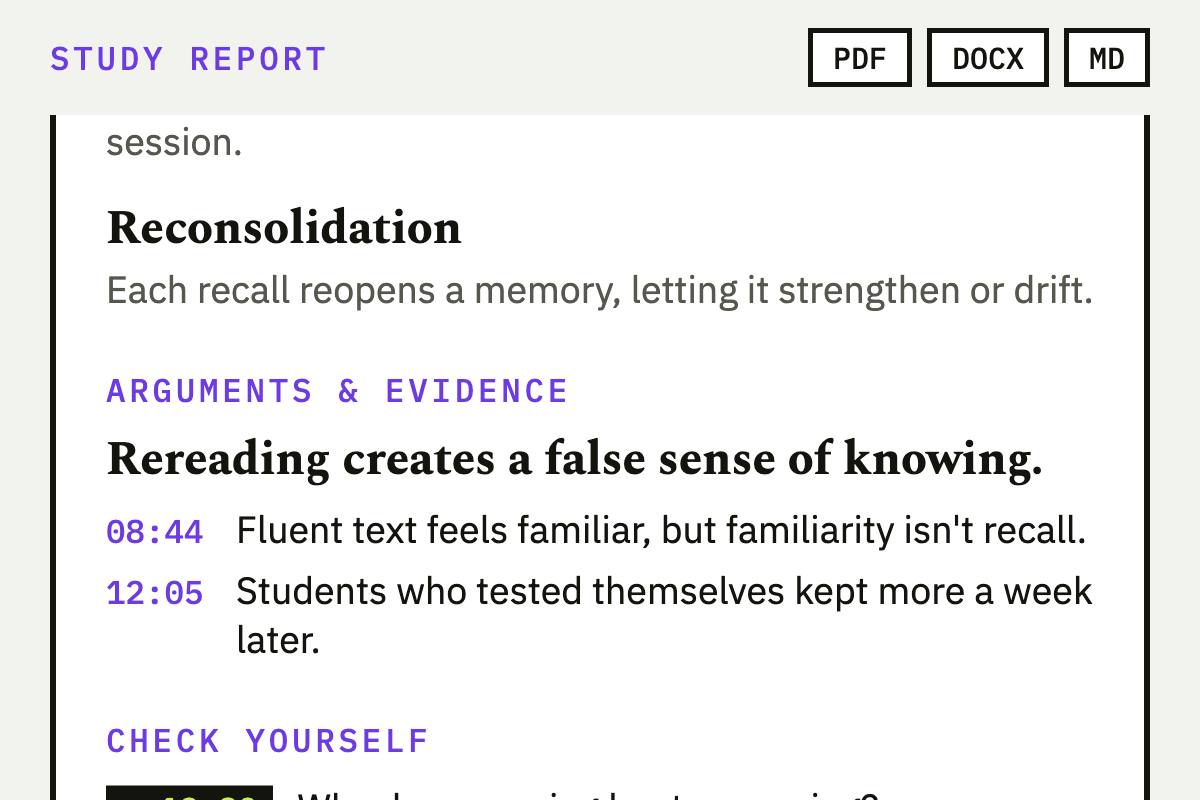
Keep reading
Best YouTube Chapter Generators in 2026: the buyer's shortlist
Seven YouTube chapter generators compared on price, free limits, input type and output formats, with what each one does well and where it falls short.
Read the articleBest YouTube Transcript Generators in 2026: the buyer's shortlist
Six YouTube transcript generators compared on price, free limits, export formats, languages and timestamps, with UpSolo's free tool first and honest strengths for every rival.
Read the articleHow to Export a YouTube Playlist to a Spreadsheet (CSV, Excel, Google Sheets)
Turn a YouTube, Vimeo or Dailymotion playlist into a CSV you can open in Excel or Google Sheets, with every title, link and duration, in about a minute.
Read the articleNext video you watch, keep something from it
Free credits every day, no card required.