
Best YouTube Transcript Generators in 2026: the buyer's shortlist
Six YouTube transcript generators compared on price, free limits, export formats, languages and timestamps, with UpSolo's free tool first and honest strengths for every rival.
Get the transcript, summary, flashcards and quiz from any video
The best YouTube transcript generator for most people is UpSolo's free tool: paste a link, get paragraphs, timestamped lines, SRT or VTT, translated if you want, with no account. We compared it with five alternatives on price, free limits, formats, languages and timestamps. Pick a different one if you need bulk extraction, file downloads from many sites, or a meeting-notes extension.
UpSolo is our product, so we rank it first and you should read that with care. To keep this fair we used one set of criteria for every tool, quoted only numbers we saw on each vendor's own pages (as of October 2026), and say plainly where a rival does something better.
Want the result before the comparison? Try the free YouTube to transcript tool now, then come back to see how it stacks up.
Turn the transcript into study material
Pasting a link gets you the text. A free account adds a summary, flashcards, a quiz and a tutor on top of the same transcript.
Try UpSolo free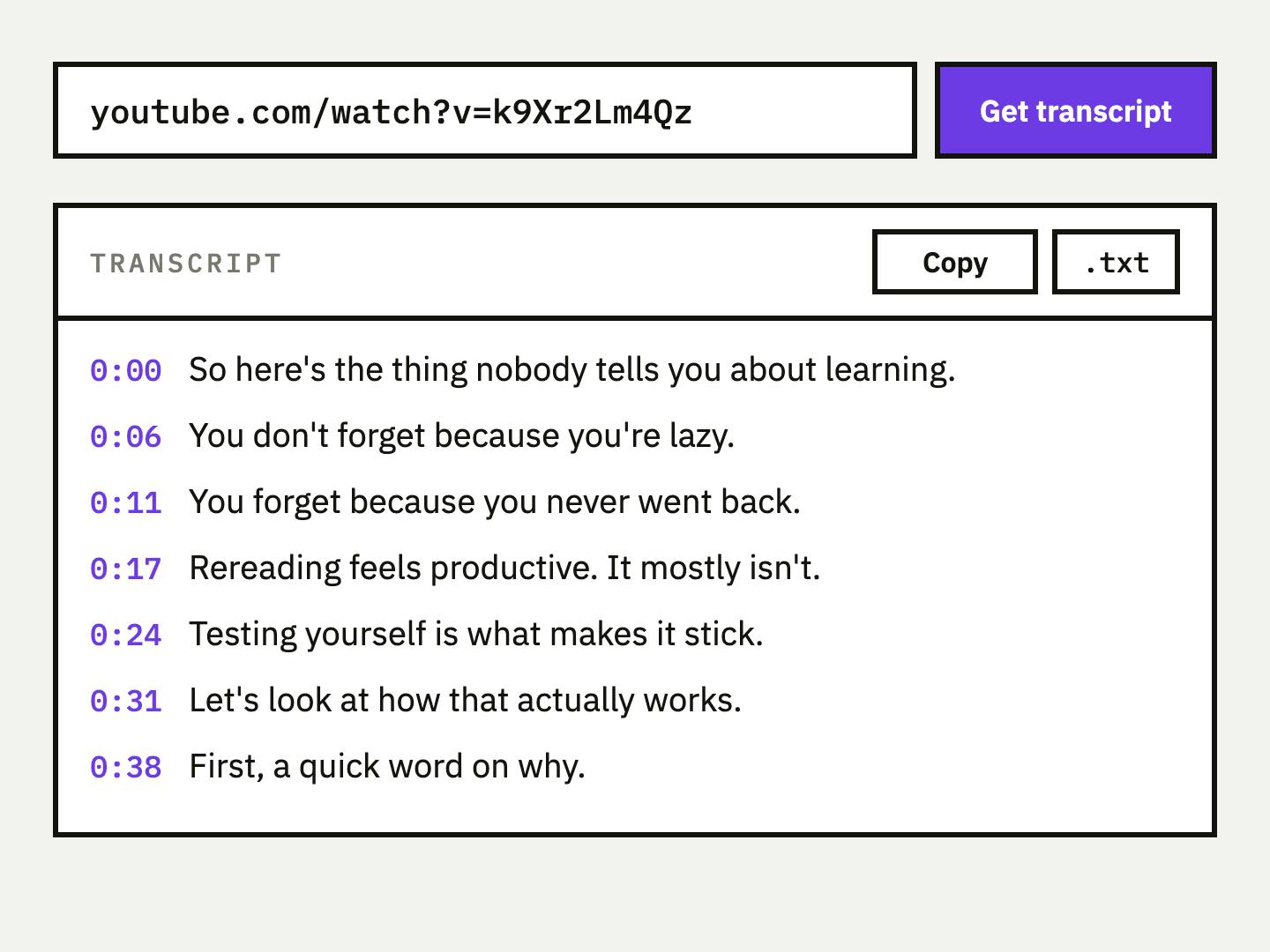
Key Takeaways
- •UpSolo is our #1 pick for a free, no-account transcript. It returns six output formats, translates into 190+ languages and plays the video beside the text. The free limit is 4 pulls a day per visitor.
- •Free and unlimited rarely mean both. Tactiq's free plan lists 10 transcripts a month, YouTube-Transcript.io starts with 25 tokens, and UpSolo allows 4 a day. Only YouTubeToTranscript.com states no cap, and it has no file download.
- •Download formats differ more than prices. DownSub gives SRT, VTT and TXT, UpSolo gives six formats, and some tools give copy-paste only. Choose by what you will do with the file.
- •No tool can read a video whose captions are switched off. Caption extractors only fetch text that exists. For those videos you need speech-to-text, which is a different kind of product.
- •Ratings here are vendor-stated. We did not check G2 or the Chrome Web Store directly, so every rating below is what the vendor's own site claims.
What a YouTube transcript generator actually is (and what it is not)
Most tools sold as a YouTube transcript generator do not listen to the video. They fetch the caption track YouTube already holds, either the uploader's own captions or the auto-generated ones, and reformat it. That is why they are fast, usually free, and exactly as accurate as YouTube's captions. If the captions misspell a name, so does the transcript.
A real generator in the speech-to-text sense transcribes the audio itself. That matters when a video has no captions at all, when captions are disabled, or when you need speaker labels. Those services exist (TurboScribe is one example), but they work on audio or video files and are priced by minutes, so they sit outside this comparison. We stick to tools that take a YouTube link. For the difference in detail, see YouTube auto captions vs a transcript.
Two other limits are worth knowing before you compare. A transcript is not a summary: it is the full text, often long, with filler words and caption breaks that stop mid-sentence. And the words still belong to the creator, so how you reuse them is on you. Our step-by-step guide to getting a transcript covers the manual routes if you would rather not use a tool. What separates the tools is therefore everything around the caption fetch: how many pulls you get, which formats you can save, whether timestamps link back to the video, which languages you can translate into, and what happens after you have the text.
How We Ranked These YouTube Transcript Generators
We scored every tool on the same six measurable points, using each vendor's own homepage and pricing page. Where a page did not state a number, the table says so instead of guessing.
| Criterion | What we checked | Why it matters |
|---|---|---|
| Free tier limit | Transcripts per day or month without paying | Decides whether you can finish a research session |
| Cheapest paid plan | Monthly price of the lowest paid tier | Shows the cost if you outgrow the free tier |
| Account required | Whether you can get a transcript without signing up | Speed and privacy |
| Export formats | Copy, TXT, SRT, VTT, JSON | What you can do with the output |
| Languages | Translation or language count the vendor states | Useful for non-English videos |
| Timestamps and video link | Timed lines, click-to-jump, embedded player | Lets you verify and cite a quote |
The Best YouTube Transcript Generators in 2026
Six tools made the shortlist. They all take a YouTube link, but they are built for different jobs: one-off copy, bulk extraction, subtitle files, meeting notes, or studying from the text. Prices and limits are as of October 2026 and come from each vendor's own pages, so check them before you pay.
1. UpSolo, best for a free transcript you can also study from
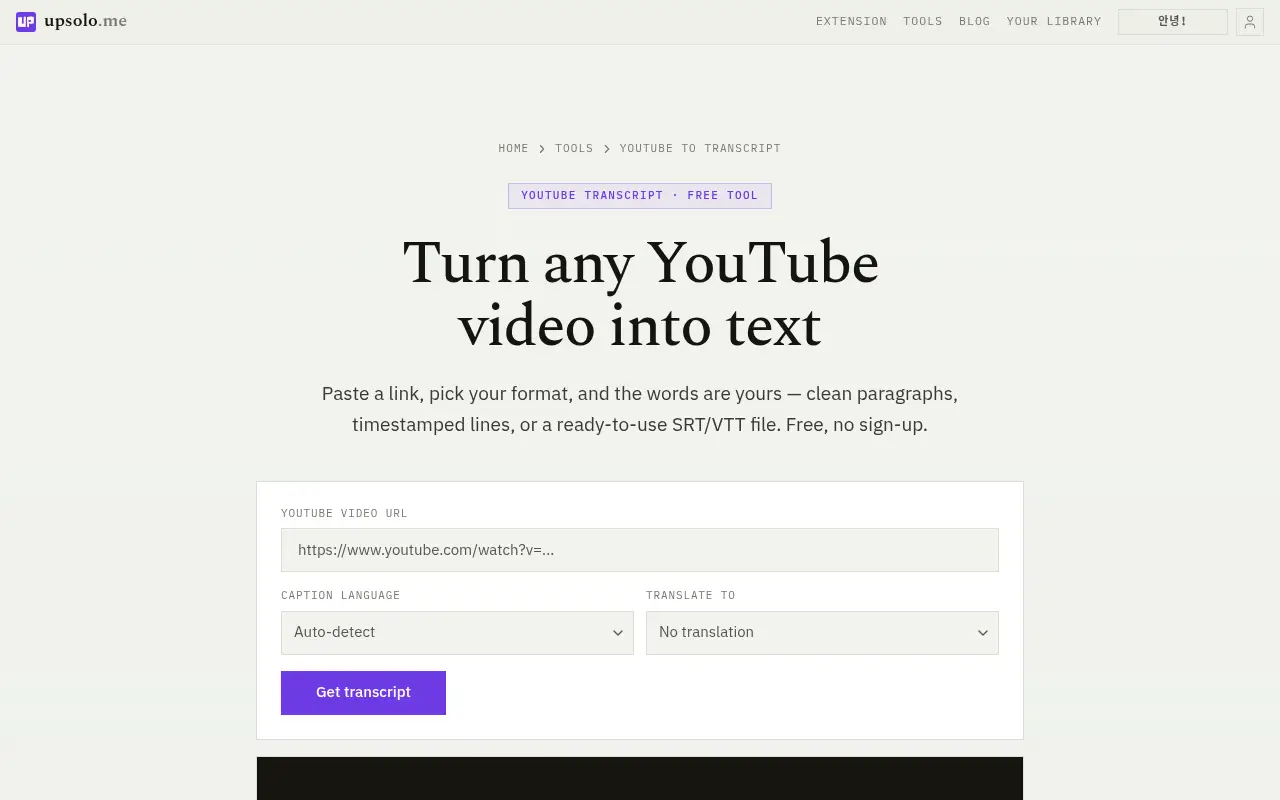
UpSolo's free tool needs no account and no sign-up. Paste a YouTube link and you can read the result as paragraphs, plain text or timestamped lines, or save it as SRT, VTT or raw JSON. That is six output formats from one pull. You can also set "Translate to" and get the whole transcript in one of 190+ languages. The transcript loads next to an embedded player, and clicking any line jumps the video to that moment, which makes it easy to check a quote. It works on YouTube's auto-generated captions as well as uploaded ones. The page states no watermark and nothing stored. The one hard limit is the same as every caption fetcher: a video whose captions are fully disabled cannot be read.
The free limit is 4 pulls a day per visitor, shared across the free tools, resetting at midnight UTC. Past that, a free account gets 10 credits a day and Pro gets 500 a month. A transcript fetch and an AI action each cost credits, and the free tools are rate-limited rather than paywalled. We do not quote a Pro price here because it can change; the account page has the current one. What sets it apart is what comes next. In the signed-in app the same transcript feeds a summary, chapters, flashcards, quizzes, a mind map, a study report, a tutor chat, notes and translation. A Chrome and Edge extension also puts the transcript beside the YouTube player. Where UpSolo is weaker: 4 free pulls a day is tighter than a no-cap tool, and it has no bulk channel export.
Best suited for: students, researchers and note takers who want a clean transcript now and the option to turn it into flashcards or a summary later. Less suited to anyone who needs hundreds of transcripts in one go.
2. Tactiq, best for a quick .txt and meeting notes
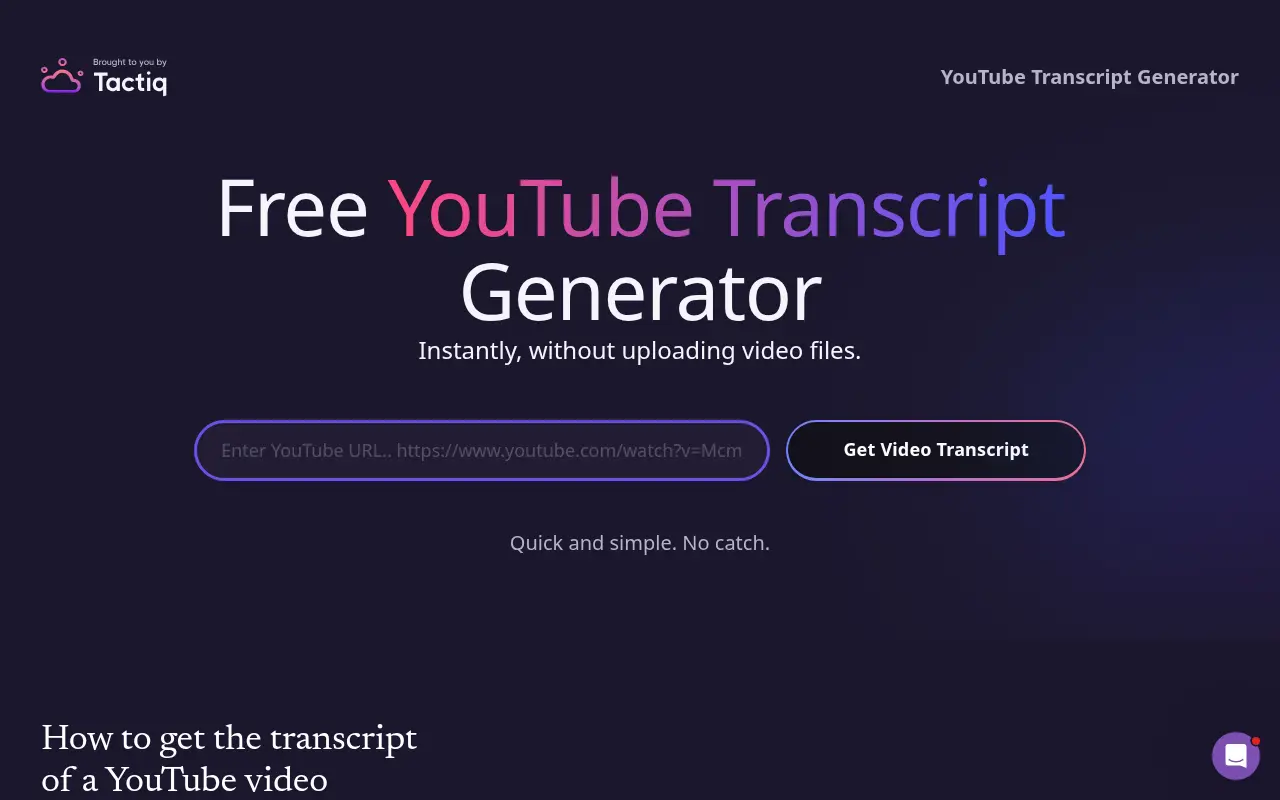
Tactiq's free YouTube transcript page shows a transcript without asking for an email, and says you can download it as a .txt file. The page does not state language support or a usage cap for the web tool. It is a fast route when you just want text to copy. Tactiq's real product is a Chrome extension that transcribes meetings, and the free tool leads into it. Its pricing page lists a Free plan with 10 transcripts and 5 AI credits per month at no cost and no credit card. Pro offers unlimited transcripts for A$11.42 per user per month billed annually, with Team at A$23.17 and Business at A$44.25. Our check showed prices in Australian dollars, probably because of geo-detection, so yours may differ.
On its homepage Tactiq claims a 4.8 Chrome extension rating from "3,000+ reviews", "1,000,000+" installs and "over 60 languages". These are vendor-stated figures we could not confirm on the Chrome Web Store.
Best suited for: people who already record meetings and want one tool for both calls and the occasional YouTube video. If you only need YouTube text, the meeting features are extra you will not use.
3. NoteGPT, best for batch transcripts and AI notes
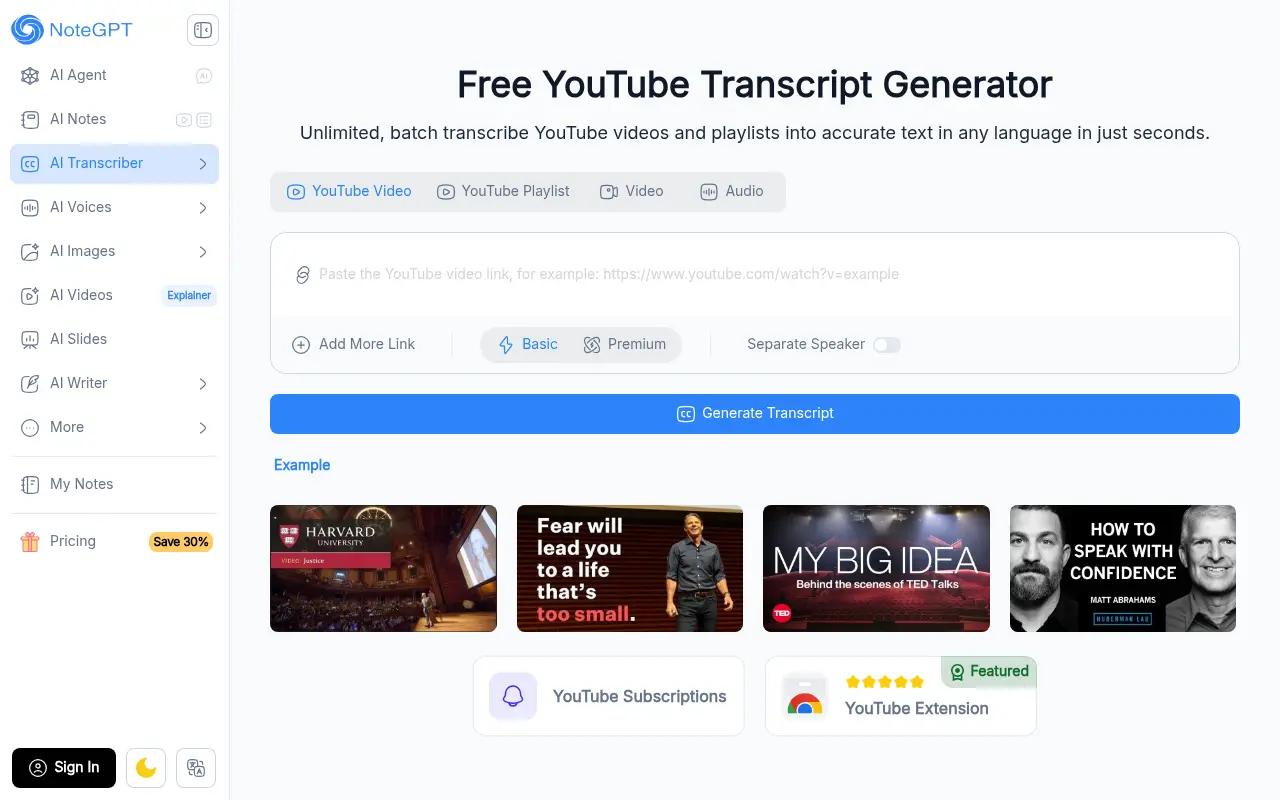
NoteGPT's transcript generator is headlined "Unlimited, batch transcribe YouTube videos and playlists into accurate text in any language". The free tool needs no login. The page says transcripts can be copied or downloaded as .txt with or without timestamps. Its pricing page lists Pro at $9 per month billed annually ($108 a year, or $9.99 monthly) with 1,000 basic quotas and 100 premium credits a month. Unlimited is $19.92 per month billed annually ($239 a year, or $29 monthly) with 2,800 premium credits. Max is $69 per month billed annually ($829 a year, or $99 monthly) with 10,000 premium credits. The page does not name a currency and does not list the free plan's quotas.
Its strength is breadth: batch and playlist input plus an AI notes and summary suite in the same account. The trade-off is a crowded product, and the free-plan limits are not published where we looked. We found no ratings or user counts on the page, so we have none to quote.
Best suited for: anyone who wants to feed several videos or a playlist in at once and then get AI notes from them. Check the free quota in your account before you plan a large batch.
4. YouTube-Transcript.io, best for bulk extraction
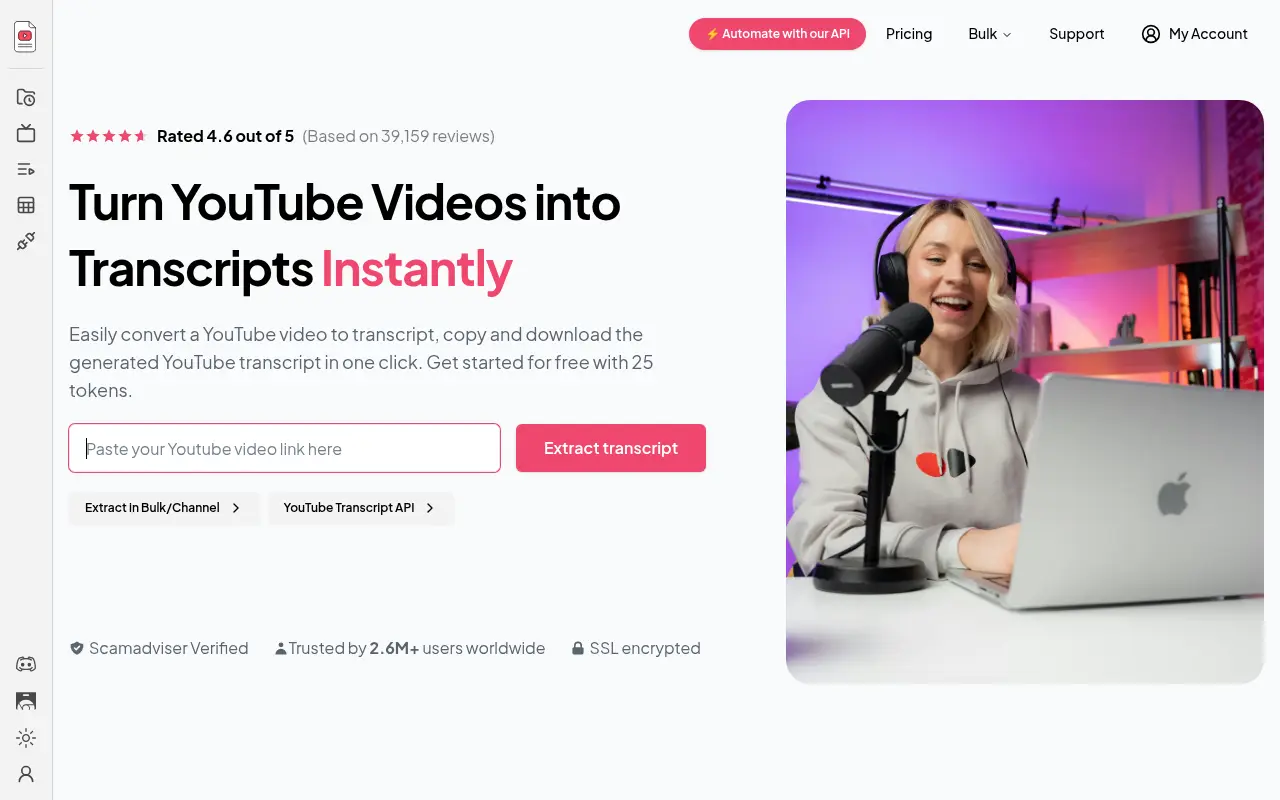
YouTube-Transcript.io is built for volume. It offers bulk extraction by channel, playlist or CSV. The free start is 25 tokens, which its homepage describes as extracting up to 25 transcripts at no cost, with no sign-up. Its pricing page lists Free at 25 tokens a month, Plus at $9.99 a month (1,000 transcripts) and Pro at $24.99 a month (3,000 transcripts). Credit options on the Pro plan go up to 6,000 for $47.99 and 10,000 for $79.99 a month, with Enterprise on request.
The homepage claims "Rated 4.6 out of 5 (Based on 39,159 reviews)" and "Trusted by 2.6M+ users worldwide". Those are the vendor's own numbers and we could not cross-check them. The page also does not name the file formats or the number of languages, so we cannot compare it on those two points.
Best suited for: analysts and researchers who pull transcripts in bulk from channels, playlists or CSV lists. For a single video, the free allowance and a token system are more machinery than you need.
5. YouTubeToTranscript.com, best for free copy-paste with translation
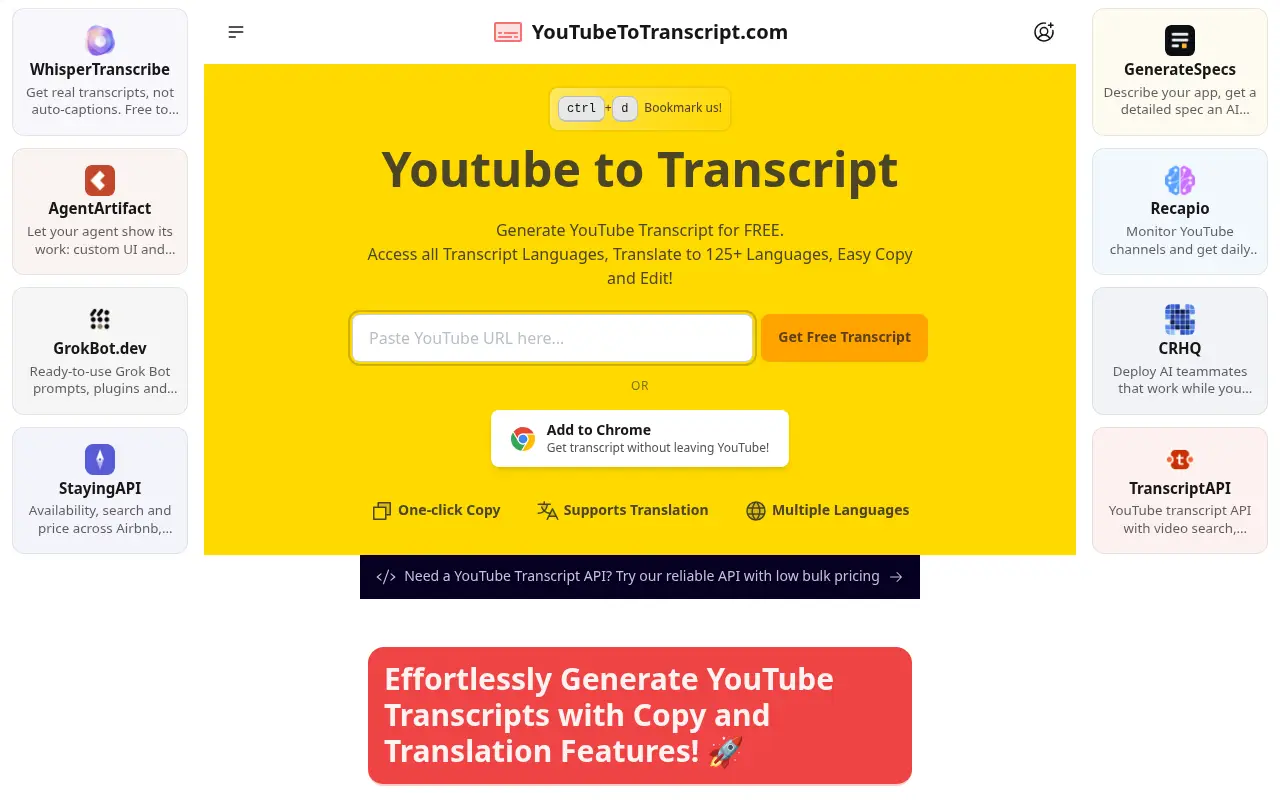
YouTubeToTranscript.com says it is completely free and sets no cap on video length or the number of transcripts. It lets you open every available transcript language, translate into "125+" languages, and read the text beside an embedded player with click-to-jump. The catch is output. There is no file download: you copy to the clipboard, and the page describes a download option as planned. The page also carries third-party promo tiles and ads, and a mention of an API with "low bulk pricing" but no figures. If you need an SRT or VTT file, this is the wrong tool today.
On cost and caps it is the most open tool on this list, which is a real advantage if you pull many transcripts and only need to paste them elsewhere. We found no ratings or user counts on the page.
Best suited for: people who read or paste a lot of transcripts and never need a file. It is a good fit for pasting into an AI chat or a document, with no daily limit to watch.
6. DownSub, best for downloading SRT, VTT and TXT from many sites
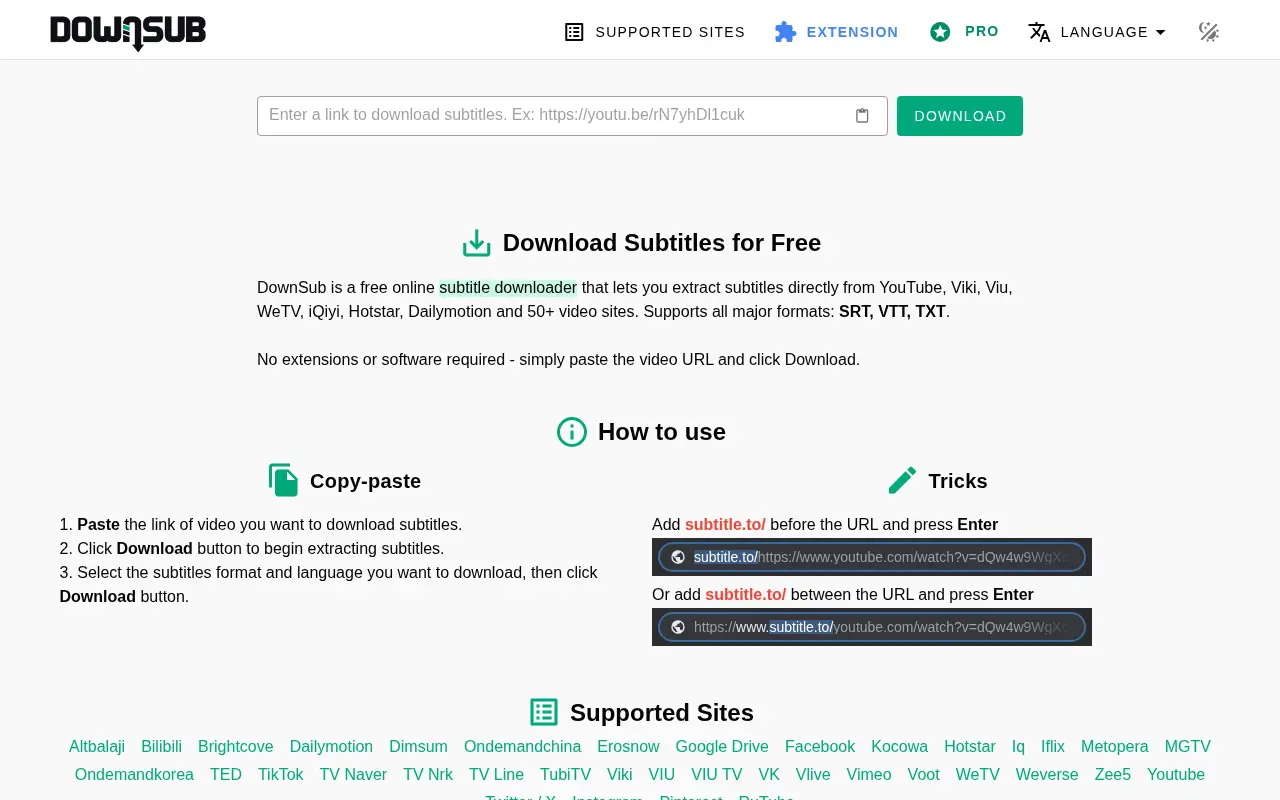
DownSub is a free online subtitle downloader rather than a text viewer. You paste a URL, click Download, then pick a format and a language. It lists "all major formats: SRT, VTT, TXT". Its homepage claims 50+ supported video sites, though the list we could see on screen was shorter and included YouTube, Vimeo, Dailymotion and TikTok. It downloads existing subtitle tracks and does not generate text, so it has the same "captions must exist" limit as the others. A Pro tier is linked, but we found no prices, limits or subtitle-language counts, so we cannot quote any. For what each file type is for, read SRT vs VTT subtitle files.
Best suited for: editors and creators who want a subtitle file for a timeline or web player, from YouTube or elsewhere. It is not built for reading, searching or studying the text.
Side-by-Side Comparison
Here is every tool against the criteria above. "Not stated" means we could not find the figure on the vendor's pages, and ratings are vendor-stated where shown.
| Tool | Free tier | Cheapest paid plan | Account needed | Export | Languages | Timestamps / video link |
|---|---|---|---|---|---|---|
| UpSolo | 4 pulls a day per visitor | Pro plan (price on the account page) | No | Paragraphs, text, timestamped lines, SRT, VTT, JSON | 190+ translation | Timestamps, embedded player, click-to-jump |
| Tactiq | 10 transcripts a month (plan) | Pro A$11.42/mo, annual | Not for the free web tool | .txt download | 60+ (vendor claim) | Not stated for the web tool |
| NoteGPT | Quotas not listed | Pro $9/mo, annual | No for the free tool | .txt, with or without timestamps | "Any language" (vendor claim) | Timestamps optional |
| YouTube-Transcript.io | 25 tokens a month | Plus $9.99/mo | No sign-up stated for the free 25 | Not stated | Not stated | Not stated |
| YouTubeToTranscript.com | No cap stated | None listed | No | Copy only | 125+ translation | Embedded player, click-to-jump |
| DownSub | Free, no limit stated | Pro (no price shown) | No | SRT, VTT, TXT | Not stated | Subtitle files only |
Which YouTube transcript generator fits your use case
| If you are... | Best pick | Why |
|---|---|---|
| A student who wants to study from a video | UpSolo | Free transcript, then summary, flashcards and quiz from the same text |
| Pasting transcripts into an AI chat all day | YouTubeToTranscript.com | No stated cap, copy to clipboard in one click |
| Editing video and need a subtitle file | DownSub or UpSolo | SRT and VTT downloads (DownSub also covers many other sites) |
| Pulling hundreds of transcripts at once | YouTube-Transcript.io | Channel, playlist and CSV bulk extraction |
| Recording meetings as well as watching videos | Tactiq | Meeting transcription extension with a free YouTube tool on top |
| Batching a playlist and wanting AI notes | NoteGPT | Batch and playlist input with an AI notes suite |
What results look like
UpSolo has no case studies or customer numbers, so here is what the product produces instead. This is a description of the output shape, not a result from a named lecture.
Paste a link into the free transcript tool and you get the full caption text as timestamped lines, regrouped into paragraphs, or exported as SRT, VTT or JSON. In the signed-in app, one AI action on that transcript, costing 1 credit, gives a summary with a thesis, a short recap and about five or six timestamped ideas. A study report adds 3 to 8 defined concepts and 3 to 6 sections of argument and evidence.
If you want to go further than reading, the summarizer and the flashcard maker start from the same link. Our guide to summarizing a long YouTube video shows how to check a summary against the source, and the prompts post lists wording that works on a pasted transcript.
FAQ
How do I get a transcript of a YouTube video for free?
Paste the link into a free tool such as UpSolo's YouTube to transcript, which needs no account and allows 4 pulls a day. YouTube's own "Show transcript" button under the description also works for one video at a time.
How accurate are YouTube auto-generated transcripts?
They are exactly as accurate as YouTube's auto captions, because these tools fetch that text rather than re-listening. Names, jargon and accents are where errors cluster, so check key quotes against the video.
How do I get a transcript when the video has no captions?
A caption fetcher cannot, because there is no text to fetch. You need a speech-to-text service that transcribes the audio, or the video's owner has to turn captions on.
Can I download a YouTube transcript as SRT or VTT?
Yes. UpSolo and DownSub both offer SRT and VTT. Our SRT vs VTT guide explains which to pick.
What is the difference between a transcript and captions?
Captions are short timed chunks shown on the video. A transcript is the same text laid out to read, often as paragraphs. See auto captions vs a transcript for the detail.
Can I translate a YouTube transcript into another language?
Yes. UpSolo translates into 190+ languages and YouTubeToTranscript.com says 125+. For the workflow, read how to translate a YouTube transcript.
Is it legal to use a YouTube transcript generator?
These tools read captions that are already publicly attached to the video, but that does not give you rights over the words. Personal study is low risk, while republishing someone's transcript is the creator's call, so check their terms.
Try UpSolo for free (no credit card required)
A transcript is only the first step, and most tools stop there. UpSolo keeps going: the same text can become a summary, flashcards or a quiz when you are ready. The transcript tool needs no account and no card, and it plays the video beside the text so you can check any line. Free accounts get a daily credit allowance for the study tools. To see it on your own video, paste a video link into the free transcript tool.
How to Get a YouTube Transcript: Desktop, Phone, Free
Get a YouTube transcript on desktop or phone, copy it or download it as text, SRT or VTT, and what to do when a video has no captions.
Read the articleBest YouTube Video Summarizers in 2026: the buyer's shortlist
Five YouTube video summarizers compared on price, free limits, timestamps and where they run, with the store ratings we could verify as of October 2026.
Read the articleHow to Search a YouTube Transcript (Desktop and Phone)
Find the exact line a YouTube video says: search its transcript on desktop or phone, jump to the moment, and learn why YouTube can't search spoken words.
Read the articleThe Best Note-Taking Apps for Studying From Video in 2026
What actually matters in a note-taking app when your source material is video, timestamp linking, transcript access, and export, plus where a general notes app and a video-specific tool each make sense.
Read the article- Tactiq: free YouTube transcript generator
- Tactiq: pricing
- Tactiq: homepage
- NoteGPT: YouTube transcript generator
- NoteGPT: pricing
- YouTube-Transcript.io: homepage
- YouTube-Transcript.io: pricing
- YouTubeToTranscript.com: homepage
- DownSub: homepage
- Kevin Stratvert on YouTube: How to Get Transcript from YouTube Video (Step-by-Step)
Get your transcript in seconds
Paste a YouTube link, pick a format, and read or download the result. No account, no watermark.
Get a free transcript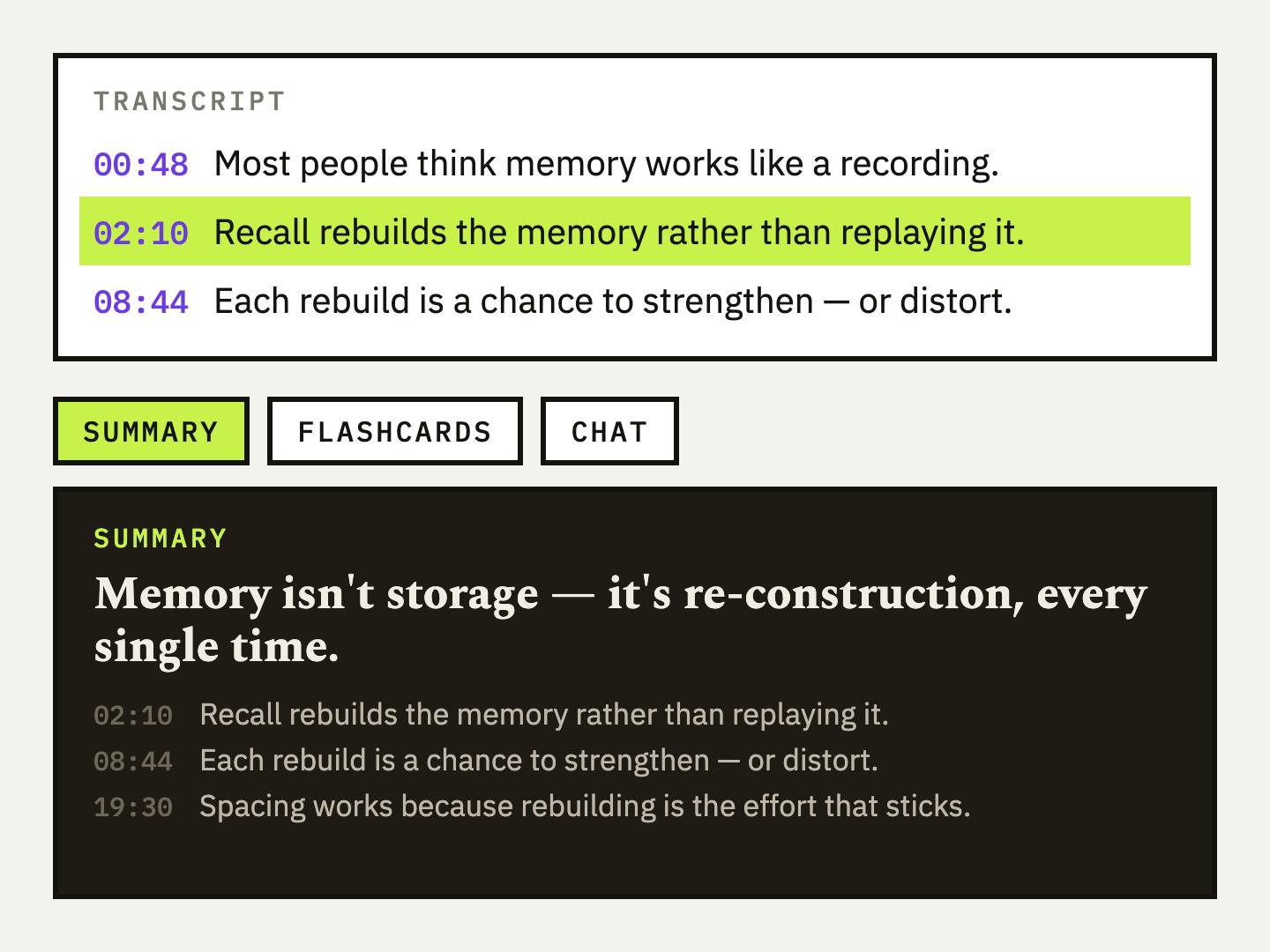
Keep reading
Best YouTube Chapter Generators in 2026: the buyer's shortlist
Seven YouTube chapter generators compared on price, free limits, input type and output formats, with what each one does well and where it falls short.
Read the articleBest YouTube Video Summarizers in 2026: the buyer's shortlist
Five YouTube video summarizers compared on price, free limits, timestamps and where they run, with the store ratings we could verify as of October 2026.
Read the articleHow to Export a YouTube Playlist to a Spreadsheet (CSV, Excel, Google Sheets)
Turn a YouTube, Vimeo or Dailymotion playlist into a CSV you can open in Excel or Google Sheets, with every title, link and duration, in about a minute.
Read the articleNext video you watch, keep something from it
Free credits every day, no card required.